Best Way to Take Bookings for a Small Salon: UK Guide
Compare online booking options for a small UK salon. Learn what to check for mobile access, deposits, reminders, subscription costs and card processing fees.
A long feature list does not automatically make a booking system the right fit for a small salon. The best way to take bookings for a small salon is usually an online system that lets clients choose an appointment through your website, while giving you a clear calendar you can manage from your phone.
Phone calls and messages can interrupt treatments, while manually updating a diary makes it harder to keep appointments in one place. Online booking gives clients a straightforward way to book and lets you manage your availability and appointment details in one system.
This guide explains how salon booking systems work and what to compare before choosing one. You’ll learn how subscription costs differ from payment processing fees, what mobile access means for salon owners and mobile beauty professionals, and which features are useful in practice. The aim is to find a setup that fits the way you work, without paying for complexity you don’t need.
Key Takeaways
- Choose online booking that lets clients make appointments when it suits them, while keeping your salon calendar organised.
- Assess whether mobile access makes it practical to manage bookings and client details while you’re away from the salon.
- Compare subscription costs separately from payment processing fees to understand what you’ll pay overall.
- Look for an app or system that suits the way you work, especially if you provide mobile beauty services.
1. What are hair salon booking systems and software?
Salon booking software puts appointments in a digital calendar instead of relying on a paper diary or message thread. Clients can book through a website or mobile app, including when the salon is closed. Online booking is available 24/7, so a client can choose an appointment without waiting for a reply. Calendar updates show availability as bookings are made, helping prevent double-booking.
Phone calls, social media messages and walk-ins can still bring in appointments, but each may need a staff member to respond or update the diary. For a small UK salon, online booking can handle routine appointments while phone or in-person booking remains an option for clients who prefer it. A booking link can also sit alongside Google reviews and a salon’s online profile, making the next step clear to someone discovering the business.
Choose booking software when you want to manage appointments, availability and client details together. A website introduces your salon and services; booking software adds a calendar clients can use to book. A marketplace directory is another way for clients to discover businesses, while your own branded booking website gives them a direct route to your services. To set up online booking, add your services and appointment lengths, enter staff availability, publish your booking link and test the journey with a sample appointment.
Useful features include calendar management, appointment confirmations, automated reminders, online payments and deposits. If you set cancellation terms, make them clear before clients confirm their bookings. Much like custom artistry studios such as Sash Tattoo that require clear scheduling for bespoke sessions, someone booking a colour service should be able to see its duration, available times and any deposit requirement. Reporting can also help you review appointment history and takings.
To reduce missed appointments, use automated reminders and consider deposits for selected services. These steps give clients clear appointment details and make cancellation terms visible. For UK consumer and data-protection responsibilities, explain booking terms and how client details are used. Use authoritative UK guidance when preparing policies; booking software does not remove the salon’s responsibility to handle information appropriately.
2. Mobile access to bookings, payments and client information
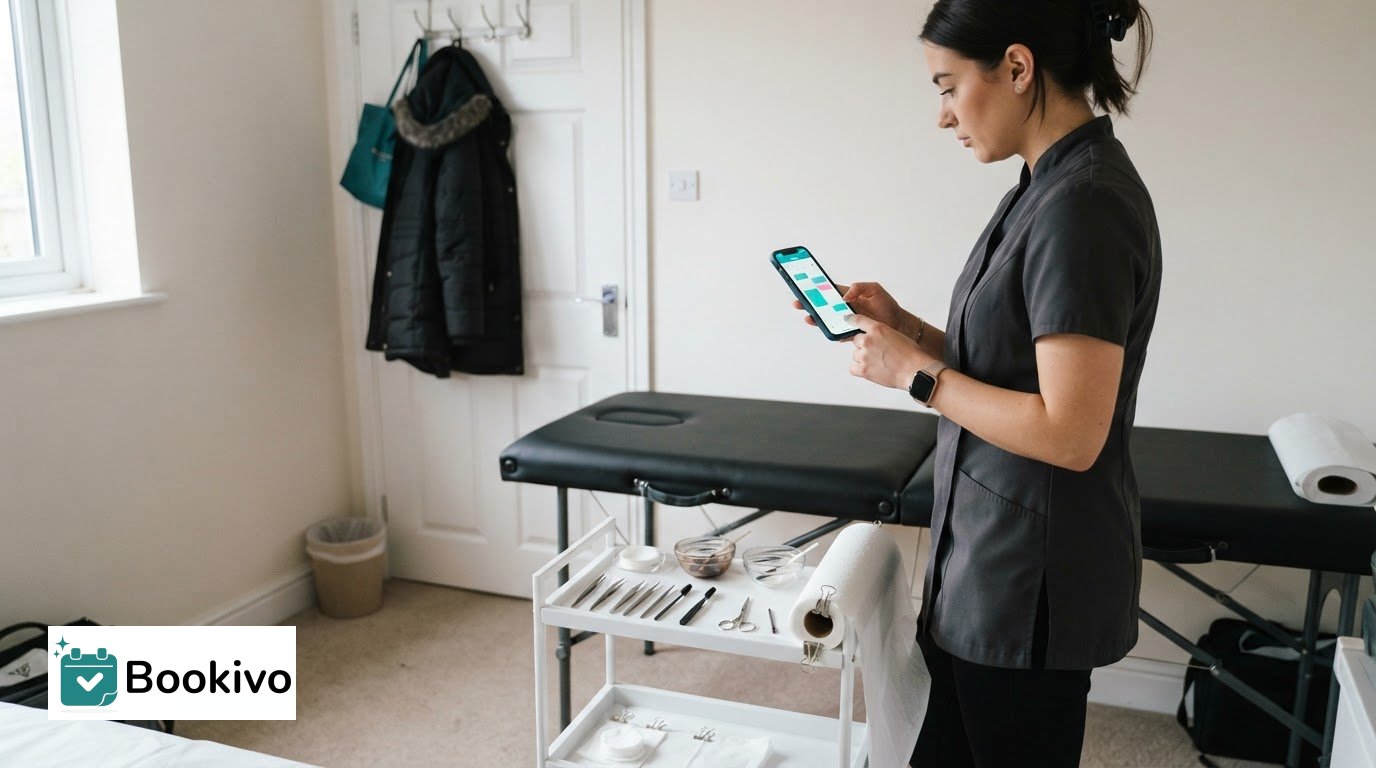
A mobile-friendly system lets you review appointments and client details away from the reception desk. For a mobile beauty therapist, checking the day’s schedule between visits can make planning easier. Some systems also let you view payment information on your phone, keeping booking and payment details together.
Clients may discover a salon through a booking platform, then choose a service and appointment time there. Platform reach and listing features vary, so consider whether you can share your own booking link or whether clients need to find you in a directory. A booking page with clear service names, durations and availability helps visitors understand their options before choosing a time. For specialist studios such as Phemmie's Place, detailing specific protective styles and maintenance sessions ensures clients select the right service and time slot.
Client profiles can bring contact details, service history and preferences together in one record. For example, a stylist can review a client’s previous appointment before discussing their next visit. Keep notes relevant and factual, and organise records so staff can find the information they need without searching through messages.
Digital consultation and consent forms can be completed before an appointment and stored with a client record. This can reduce reliance on paper forms, but the salon remains responsible for handling personal information appropriately. If several team members use the system, set access so each person can see only the information needed for their work.
Service history can also support thoughtful follow-up and help a business recognise returning clients. It is not the same as a loyalty scheme, which may need separate tools or processes. Review appointment and payment records monthly to understand returning visits and revenue patterns. For a mobile business, a booking setup for mobile beauty can help you picture how online appointments fit around visits. A branded booking-page preview can show how clients might encounter your services and availability.
3. Salon software pricing and processing fees
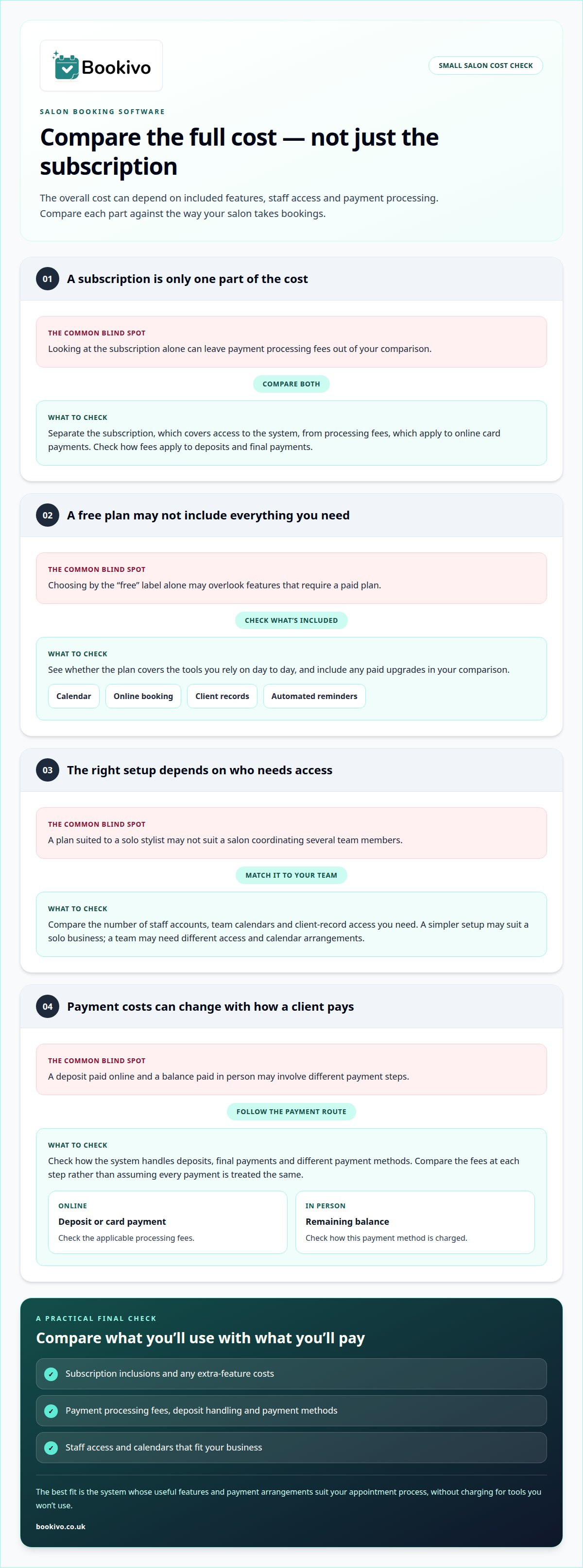
Compare the full cost of running a salon booking system, not just the advertised subscription. Pricing may depend on the features included, the number of staff accounts and whether you need team calendars or client records. A solo stylist may need a simpler setup than a salon coordinating several team members.
Separate the subscription from payment processing fees. The subscription covers access to the booking system; processing fees apply to online card payments. Check how fees apply to deposits and final payments, and whether payment methods have different charges. If a client pays a deposit online and the balance in person, consider the costs at each step.
A free booking system can be a useful starting point, but check what is included before relying on it. Make sure its calendar, online booking, client records and automated reminders suit your day-to-day work. If a feature requires a paid plan, include that upgrade in your comparison rather than judging the free option alone.
Compare plans by listing their included features and payment terms. Check whether each system supports your appointment process, deposit handling and staff access. This makes it easier to compare options fairly, without assuming that similar-looking plans offer the same functions.
Before choosing, compare subscription inclusions, payment processing fees, deposit handling, staff access and any costs for extra features. Then weigh the time you spend managing bookings manually against the monthly software cost. The right system is the one whose useful features and payment arrangements fit your appointment volume and business model, without charging you for tools you won’t use.
4. Booking apps for small and mobile businesses
For a mobile beauty business, an app or mobile-friendly booking page should work around appointments away from a salon desk. You can check the day’s schedule between visits, view upcoming bookings and manage availability from your phone. The practical test is simple: can you find the next appointment quickly without interrupting a client?
Which salon booking software is right for a small UK salon? Choose a system that suits the way you work, whether you’re a solo stylist, part of a small team or a mobile therapist. Prioritise clear scheduling, accessible client details and online booking. Extra features are useful only when they support your routine.
Consider how new clients find you, too. A booking link shared on your online profile or social media can take someone from discovering your salon to choosing a service. It gives clients a direct way to book, rather than relying solely on messages that need a personal reply.
Automated reminders keep appointment details visible to clients. For a mobile therapist, a reminder can reinforce the agreed time and location; for a salon owner, it can reduce the need to send every message manually. Choose a reminder process that suits your services and the way you communicate with clients.
Before adopting an app, try a typical working day: view the schedule, find a client record, handle a change and review payment information. Check that the system is easy to use on your phone and that the calendar reflects your actual availability. Practical ease matters more than a long feature list. A booking app should simplify scheduling, not create another place to manage appointments.
Bookivo
Bookivo brings online booking and salon management together for UK beauty businesses. Its booking system gives clients a branded website where they can view availability, book appointments, pay online and leave deposits. Clients can make bookings 24/7, while automated reminders and team calendar management support day-to-day organisation.
Bookivo may suit a small salon or independent beauty professional ready to move bookings from messages and a paper diary into one online system. A branded booking website gives clients a direct route to appointments, without relying only on social media or a directory listing. Bookivo offers beauty and salon booking software, as well as booking software for aesthetics clinics.
If you’d like to discuss whether Bookivo suits your booking process, get in touch with Bookivo.
Make your booking process fit your next stage
The best way to take bookings for a small salon is one that supports the business you’re building, not just the diary you manage today. As your services or team change, review whether the booking process still works clearly for clients and staff. A well-organised booking page can make it easier for clients to find and book appointments.
Bookivo offers Beauty & Salon Booking Software, Aesthetics Clinic Booking Software and an Online Appointment Booking System. If you want a more organised way to manage bookings, see how a branded booking website could fit your business.
Choose a setup that feels manageable now and leaves room to adapt. You can take the next step at your own pace.
Make booking straightforward for your clients and easier to manage day to day.
Frequently Asked Questions
What are hair salon booking systems and software?
Salon booking systems are digital tools for organising appointments and letting clients book services. Unlike a basic electronic diary, they can display selectable services and available times. For example, a salon can distinguish between a cut and colour appointment and a fringe trim, helping clients choose the right option before confirming.
What’s the best online booking setup for a solo salon owner?
For a solo owner, a strong setup pairs a booking page clients can use independently with a calendar that reflects your working hours. Keep your service menu focused and appointment details clear. A mobile-friendly system is useful when you need to review your schedule between clients or away from the salon.
What is the difference between a marketplace booking platform and a direct beauty booking system?
A marketplace helps clients discover businesses within its platform. A direct booking system gives a salon its own booking route, such as a branded website or booking link. The difference is where clients encounter your services. Choose a direct system when you want bookings to come through your own online presence rather than a directory listing.
What should I look for in an online booking system?
Start with the booking journey: clients should be able to choose a service, understand its appointment details and select an available time. Then compare calendar management, deposits, payment processing fees and reminders. Check, for example, that a longer service shows the correct duration so clients don’t book a slot that leaves too little time.
What should you take into consideration when choosing salon software or apps?
Match the software to your working pattern. A solo hairdresser may prioritise a clear personal calendar, while a salon team may need staff availability and shared appointment records. Check that the mobile view works for your day, that the subscription includes the features you need, and that client information can be transferred if you change systems.
How much do salon booking systems cost in the UK?
Costs depend on the plan, included features and payment processing arrangements. Compare the subscription with any card-processing fees, then check whether deposits, reminders or additional staff access affect the total. Bookivo’s current fixed monthly pricing is shown on its pricing page. To try the platform, Start your free trial.