Aesthetician Software: Guide for UK Beauty Professionals
Looking for the best estheticians software? Explore our guide for UK beauty professionals on choosing booking tools that simplify daily salon appointments.
What if the right booking system could bring your appointments and client information together without adding extra admin? Appointment requests in messages, client details in separate files and availability tracked elsewhere can make a straightforward day feel harder to manage. The right estheticians software should organise the essentials without forcing you to change your whole routine.
It’s understandable to wonder whether you need a simple booking tool or a broader system, and whether switching is worth the effort. This guide explains what to look for, from managing appointments and availability to offering clients a professional, business-branded way to book. You’ll also see how features such as client records, reminders, deposits and digital forms can fit into daily admin, and how to weigh their usefulness against added complexity. The aim is to help you choose practical tools that suit your business, not a system that gives you more to manage.
Key Takeaways
- Choose estheticians software by how well it connects booking with the rest of your client journey, not by the length of its feature list.
- Separate essential tools from optional extras so you can compare systems without adding unnecessary complexity.
- Consider how booking, client communication, payments and team calendars fit your day-to-day workflow.
- Map your current booking routine first, then introduce relevant software features in manageable stages.
What does esthetician software do for a beauty business?
Esthetician software is a set of digital tools for organising appointments and related business tasks, such as managing availability, client records, reminders and payments. It supports the running of a beauty business; it doesn’t replace a practitioner’s professional judgement or decisions about their services.
A booking calendar focuses on when appointments can be made. Broader management tools can connect that schedule with other parts of the client journey. As one part of the wider cosmetic industry, beauty businesses can have quite different day-to-day needs, so the right setup depends on how you work. Features vary between platforms, making it useful to distinguish essential functions from optional ones.
Booking tools versus broader management software
Online booking lets clients choose from the availability you set, while availability management helps you organise the times offered. Other features address separate tasks: reminders support appointment communication, online payments and deposits handle transactions, and client records help keep information organised. A calendar may be enough for straightforward scheduling, but connected tools can bring more of these workflows together.
Who may benefit from esthetician software?
For solo beauty professionals, a clear booking process and accessible client information can reduce the need to juggle separate admin tools. Explore options for solo beauty professionals. Mobile therapists may need to organise availability around appointments in different locations, while salons may need to coordinate bookings across a team. Aesthetics clinics may have additional administrative workflows, such as digital consultation and consent forms. The useful question is not how many features a system offers, but whether its functions fit your working pattern.
In practice, estheticians software should make routine booking and business workflows clearer, while leaving professional decisions firmly with you.
Which esthetician software features support a smoother client journey?
Useful features connect the steps around an appointment, from choosing a time to keeping client information organised. Booking, communication, payments and team coordination each solve a different admin task. Together, they can reduce the need to piece the client journey together from separate calendars, messages, payment records and files.
Online booking, payments and appointment communication
Online booking lets clients choose from the availability you set, while availability management helps keep the times offered in line with your schedule. Deposits and online payments can make payment arrangements clearer during booking, but they can’t guarantee that a client will attend. Bookivo supports payments through Stripe, including Apple Pay and other supported Stripe payment methods. Automated appointment reminders provide a further way to communicate with clients before their visit, without promising that appointments won’t be missed.
For clinic-specific considerations, see this guide to online booking for aesthetics clinics.
Client information, forms and team calendars
Consultation and consent forms can give businesses a digital way to organise these documents alongside other client information. A Customer CRM and before-and-after photo storage can help keep client records and images together. In specialised aesthetic disciplines, from advanced skincare to cosmetic dental smile makeovers, keeping clear visual documentation and treatment records is essential—read more about how aesthetic practices showcase patient transformations. These features support record-keeping, but don’t replace your own professional judgement or decisions about how you work.
For a team, shared team calendars can help organise staff availability and appointments. This makes it easier to see how bookings fit across the working schedule. The Hair and Beauty Industry Authority (Habia) is a useful industry resource; software should support your established ways of working rather than dictate professional practice.
As you compare estheticians software, focus on which of these steps currently creates the most admin. You can preview a business-branded booking experience and consider how connected tools might fit your client journey.
How should you compare esthetician software for your setup?
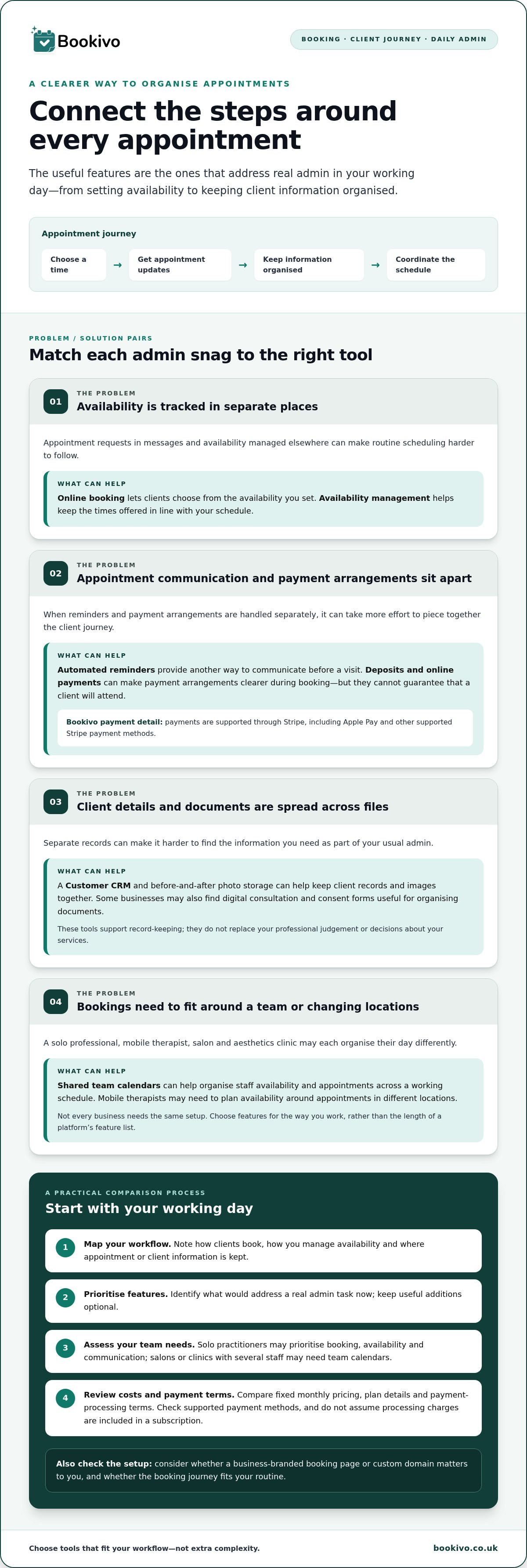
Choosing estheticians software is easier when you start with your actual working day, not a long feature list. Separate essential functions from optional extras before comparing platforms. Then use this short process:
- Map your workflow. Note how clients currently book, how you manage availability and where appointment or client information is kept.
- Prioritise features. Identify what would address a real admin task now. Mark useful additions as optional rather than paying for complexity you may not need.
- Assess your team needs. A solo practitioner may prioritise clear online booking, availability and client communication. A salon or clinic with several staff may need team calendars and a clear way to organise appointments across the team. Not every business needs the same setup.
- Review costs and payment terms. Compare fixed monthly pricing, plan details and any payment-processing terms. Check which payment methods are supported and whether they suit your clients. Don’t assume processing charges are included in a subscription.
Check setup and ongoing fit
Consider how clients will find and recognise your booking page. If a business-branded website or custom domain matters to you, include that in your comparison. A free preview or trial can help you explore how the booking journey fits your routine before making a change. Bookivo offers a free branded preview and a seven-day free trial without requiring a credit card. You can review its fixed monthly pricing and plan details as part of your assessment.
For broader business resources, the National Hair & Beauty Federation may also be useful to beauty professionals. Keep the software decision focused on practical fit: choose around the tasks you handle each day, not the platform with the longest feature list.
How can esthetician software fit into your business's booking routine?
Changing booking systems doesn’t have to mean changing everything at once. Before setting up estheticians software, map how clients currently discover your services, request appointments, receive confirmation and share information. Note where you manage availability and which steps rely on messages or separate records. This gives you a practical checklist for setting up the new routine without assuming that existing appointments transfer automatically.
A practical first-week setup plan
Start with the basics, then add other functions as they become useful:
- List your services and availability. Set out what clients can book and the appointment times you want to offer.
- Prepare booking information. Check that the details clients need to make a booking are clear and accurate.
- Set up relevant options. Configure online bookings and availability first. Then consider payments, deposits and automated reminders, followed by consultation and consent forms or team calendars if they suit your workflow.
- Review the client view. Go through the booking experience yourself before sharing it with existing clients. Check that the services, available times and information are presented as intended.
Explore a branded booking workflow
Bookivo provides a business-branded booking website, alongside features including payments, reminders, digital forms and team calendars. You can explore a free branded preview, then use the seven-day free trial, which doesn’t require a credit card, to consider how the workflow fits your day-to-day routine. If you already have a salon website, this guide to adding online booking to an existing salon website may help you think through how clients will reach your booking page.
Choose a booking system that fits the way you work
The right estheticians software should make everyday booking and admin easier to organise, not add layers of complexity. Start by mapping your current client journey, then prioritise the features that address real tasks. Online booking and availability tools can support scheduling, whilst reminders, payments, forms and team calendars can help organise other parts of the workflow.
Bookivo brings these confirmed functions together with a business-branded booking website, so clients book through your business rather than a marketplace listing. You can explore a free branded preview and use the seven-day free trial without a credit-card requirement to consider how the system fits your routine.
See what Bookivo could look like for your business.
Take the next step at a pace that works for you. A clear, practical booking routine can help you present your business professionally and keep the essentials in hand.
Frequently Asked Questions
What does esthetician software usually include?
Esthetician software usually combines appointment booking with tools for related business tasks, though features vary by platform. Depending on the system, it may include online booking and availability management, appointment reminders, payment and deposit options, client records, digital consultation and consent forms, or team calendars. A booking calendar handles scheduling; broader management features can bring more of the client journey into one place.
How do I choose software as a solo esthetician?
Choose a system around the admin you handle yourself each day. Start with clear online booking and availability management, then consider whether reminders, payment options or organised client records would be useful. Separate essential functions from optional extras before comparing platforms. If you’re moving from a diary or messages, map your current booking steps first so you can judge how comfortably a new routine could fit.
Can esthetician software take deposits and online payments?
Yes, some booking platforms let businesses take deposits and process online payments, but payment options vary. Bookivo supports deposits and payments through Stripe, including Apple Pay and other supported Stripe payment methods. Check which methods suit your clients, and review payment-processing terms as well as any software plan details. Deposits can clarify payment arrangements during booking, but they can’t guarantee attendance.
Is esthetician software suitable for an aesthetics clinic?
It can suit a clinic’s booking and administrative workflows, depending on the features offered and how the team works. Tools such as appointment booking, reminders, team calendars, client records, digital consultation and consent forms, and before-and-after photo storage may be relevant. Software supports organisation; it doesn’t replace professional judgement or make a clinic compliant with its responsibilities. For care providers and clinical organisations looking for operational management or out-of-hours cover alongside administrative tools, you can learn more about Contesto to see how dedicated support services operate.
How can I try booking software before switching?
Map your current booking journey, then explore the system’s client-facing booking experience before changing your routine. Bookivo offers a free branded preview and a seven-day free trial without requiring a credit card. Use that opportunity to consider how booking, availability and any relevant payment or communication features fit your day-to-day process before deciding whether to move appointments across.