Electronic Consultation Forms: 2026 Paperless Clinic Guide
Discover how electronic consultation forms for clinics can streamline client intake, cut down paper records, and build an efficient, modern booking workflow.

Electronic consultation forms for clinics can make it easier to collect client information before an appointment, without rebuilding your whole workflow or taking on complex software.
Paper forms can seem manageable until filing, scanning and searching through handwritten notes start taking time away from clients. Records can be misplaced or difficult to read, and paper may feel out of step with the experience you want to offer. Digital forms give clients a way to complete information on their own devices and can make records easier to organise and retrieve.
This guide explains how to choose and introduce electronic forms in a practical way. You’ll learn what to check in a form system, how forms can fit into your booking process, and what to consider when handling client information. You’ll also find steps for creating a paperless workflow that works for your team and your clients.
Key Takeaways
- Check that electronic consultation forms are clear, easy to complete and suited to your clinic’s process.
- Compare standalone form builders with integrated clinic software, including how each handles bookings, records and retrieval.
- Review existing forms to keep necessary questions and remove duplication or unclear wording.
- Plan the transition, test forms on mobile devices and check how client information is stored and accessed.
Why Traditional Paper Records are a Risk to Your Clinic’s Growth
Electronic consultation forms for clinics are digital documents used to collect client details, relevant history and consent. They’re part of the wider move towards electronic records, explained in this overview of the Electronic Health Record (EHR).
Paper takes space to store and time to file and retrieve. It can also be misplaced, damaged or difficult to read. Digital records may be easier to search, but their security depends on the system and how your clinic manages it. Ask providers how they protect information and restrict access, and consult the Information Commissioner’s Office guidance for general information about handling personal data.
The Administrative Burden of Manual Filing
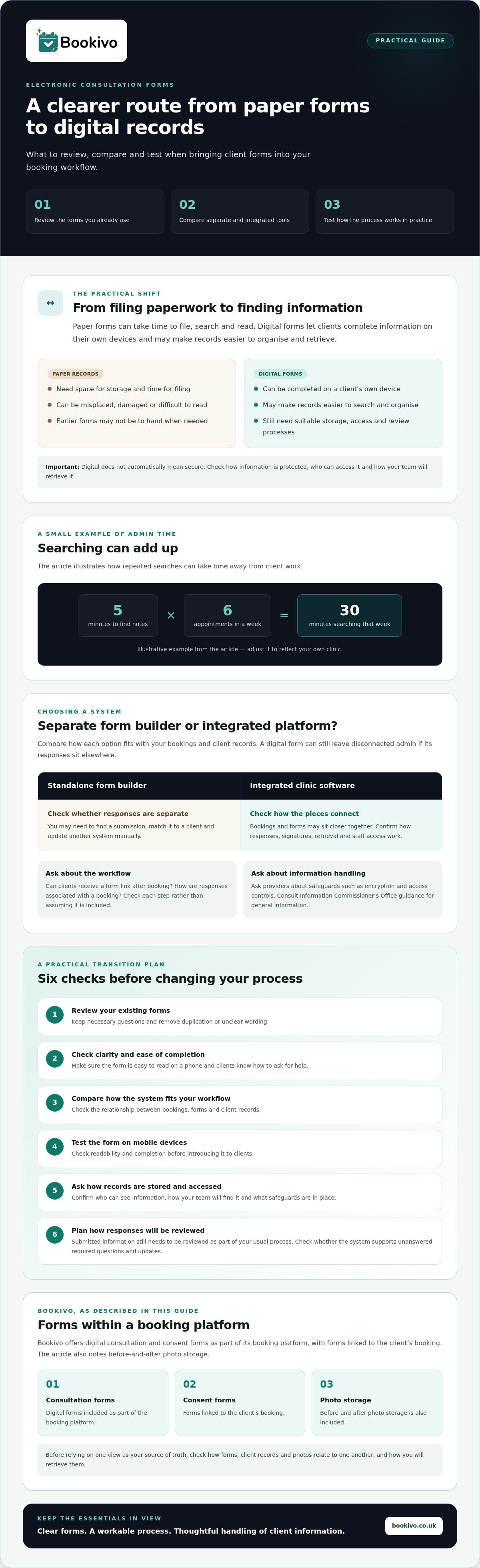
Small searches can add up. If finding notes takes five minutes on six appointments in a week, that’s half an hour spent searching. Adjust the example to reflect your own clinic. Paper can also make a consistent record harder to maintain: notes may be filed separately, handwriting can be unclear, and earlier forms may not be to hand when you need to review a client’s history.
Professionalism and the Client First Impression
A crumpled form and a pen that doesn’t work can feel out of place in a polished clinic. A clear digital form that clients can complete on their own device may create a more considered first impression. To make the process practical as well as presentable, check that the form is easy to read on a phone and that clients know what to do if they have questions or need help completing it.
Digital isn’t automatically secure. Ask providers about safeguards such as encryption and access controls, and review the ICO’s guidance before deciding how to manage client records. Bookivo offers integrated consultation and consent forms as part of its booking platform, connecting forms with the client’s booking rather than leaving them in a separate system.
How Electronic Consultation Forms Streamline Clinic Workflows
Electronic consultation forms for clinics can bring form completion into the booking journey instead of leaving it as a separate paper task. Depending on the system, a client may receive a form link after booking, complete it before arrival and have their response associated with their booking. Check whether the system supports each step, including any pre-filled details, rather than assuming every digital form works this way.
Completing a form before arrival gives clients more time to read and respond, rather than filling it out in the waiting room. It can also help your team prepare, although submitted information still needs to be reviewed as part of your usual process. Check whether the system can flag unanswered required questions and whether clients can correct or update their responses.
Digital records can make information easier to locate, but the practical benefits depend on how the system is set up. Review how form responses are stored, who can access them and how your team will find them later. For UK guidance on handling personal information, consult the Information Commissioner’s Office as well as your provider’s data-handling information.
Automating the Pre-Treatment Process
Some booking platforms let businesses send appointment reminders with a form link. Before choosing a system, check whether this is available and how clients’ responses are stored. For mobile beauty therapists, digital records can reduce reliance on carrying paper files between appointments, provided they can securely access the information they need.
Centralised Data and Before-and-After Galleries
A consistent client record makes it easier to find relevant forms and history. Bookivo includes digital consultation and consent forms and before-and-after photo storage. Before relying on a single view as your source of truth, check how forms, client records and photos relate to one another. Consider who can access each record, how it is organised and how you’ll retrieve it later.
If you’re reviewing booking and form options, see how Bookivo could look for your business.
Choosing Between Generic Form Builders and Integrated Clinic Software
A generic form builder may collect client details, but the form is only one part of your workflow. If responses sit separately from your booking diary or client records, you may need to find the right submission, match it to the client and update another system manually. Digital paperwork can still create disconnected admin if the tools don’t work together.
Integrated systems bring bookings and forms closer together. Bookivo provides digital consultation and consent forms as part of its booking platform, with forms linked to the client’s booking. When comparing platforms, check how they handle responses, signatures, retrieval and staff access. For UK guidance on managing personal information, consult the Information Commissioner’s Office.
The Pitfalls of Generic Digital Forms
A standalone form may collect responses, but consider what happens next. Will you need to copy details into a client record? Can the form connect to your diary or be sent as part of the appointment process? Features vary, so check the exact set-up. Don’t assume that a generic tool lacks automation or that an integrated platform includes every trigger you need.
The Advantage of an Integrated Ecosystem
For solo professionals, keeping bookings, client information and consultation forms in one system may mean fewer places to check and less repeated data entry. It won’t remove the need to review records, but it can make the steps from booking to completed form easier to follow. Consider the client-facing experience too: is the process clear and consistent with your clinic’s identity?
A simple process may work well with separate tools. If you’re comparing options, weigh the time needed to connect and manage those tools against the value of having booking and forms together. In specialised settings such as dentistry, dedicated providers like PractCom show how focused digital consent forms and communication tools can support clinical workflows effectively. Choose the set-up that fits your day-to-day workflow rather than paying for features you won’t use.
Implementing Digital Forms: A Step-by-Step Transition Guide
A measured rollout lets you improve your process without changing everything at once. Use these steps to introduce digital forms, test the workflow and make adjustments before expanding it.
- Audit your existing forms. Review each question and keep information that serves a clear purpose. Remove duplication and clarify wording clients may find confusing. Ask your team which details they need to find easily.
- Prepare your digital templates. Adapt each form to the relevant service and your clinic’s branding. Check the layout on a phone as well as a computer, since clients may complete it on their own devices.
- Test the process with your team. Practise sending, completing and signing a form, then locating the submitted record. Check what happens if a required field is missed and how a client can ask for help.
- Tell clients what’s changing. Explain how they’ll receive the form and that completing it before arrival may make check-in more straightforward. Let them know how to contact your team if they have difficulty.
Moving Your History: What to Do with Old Paper Records
Separate active and inactive files in your transition plan. For active clients, decide which existing records staff need to consult and how they’ll be associated with new digital records. For inactive files, set a consistent process for storage, access and review. Don’t assume a move to digital means paper records can be discarded. Consult the Information Commissioner’s Office guidance on personal data, and seek appropriate advice if you’re unsure about retention.
Starting Small: The Phased Rollout Approach
Begin with one form type, such as an initial consultation. Test each stage, from sending the form to finding the completed record, and note where clients or staff need clearer instructions. Refine the process before adding other forms. Starting with one workflow gives your team a manageable way to build confidence and spot practical issues early.
Make Your Clinic’s Next Step Paperless
Moving to electronic consultation forms for clinics is more than replacing a printed sheet with a screen. A well-planned set-up can bring forms closer to the booking journey, make client information easier to find and create a more considered experience. Start by reviewing what you collect, then compare standalone tools with systems that connect forms and bookings in a way that suits your clinic.
You don’t need to change every process at once. Trial one form type, show your team how it works and explain the change clearly to clients. Before committing, check how records are stored, accessed and managed, and make sure the system fits your day-to-day workflow.
Bookivo brings online booking together with digital consultation and consent forms, alongside a branded booking website. Explore the preview to see whether that combination feels right for your business.
A practical first step can bring more order to your clinic’s admin. Choose a pace that works for your team and build from there.
Frequently Asked Questions
Are electronic consultation forms legally binding in the UK?
An electronic signature may be accepted in some situations, but whether a particular form or signature is legally effective depends on the circumstances and what the document is intended to record. This isn’t legal advice. If a form has legal or insurance implications for your clinic, check with a suitably qualified adviser or your insurer about the requirements that apply to your services.
How do I ensure my digital forms are GDPR compliant?
No software can by itself make your clinic GDPR compliant. You’re responsible for how you collect, use, access and retain client information, including health-related details. Collect only what you need, explain how information will be used, and check how your provider stores and protects records. Read the ICO’s guidance and seek specialist advice if you’re unsure about your responsibilities.
Can clients sign electronic forms on their own smartphones?
That depends on the form system and how it works on mobile devices. Before choosing one, test the process on a smartphone: opening the form, completing required fields, reviewing the information and adding a signature. Bookivo provides digital consultation and consent forms, but check the current form experience and signing steps before telling clients exactly how they’ll complete them.
Do I need to scan my old paper forms into the new software?
Not necessarily. First decide which records your team needs to access regularly, then plan how those active client histories will connect to new digital records. You may choose to scan selected documents, retain paper files securely, or use a combination. Don’t dispose of records simply because you’ve changed systems; check relevant retention guidance and get appropriate advice for your clinic.
What happens if my clinic’s internet goes down during a consultation?
It depends on the software, device and whether the form can be accessed without an internet connection. Ask the provider what happens during an outage and make a fallback plan, such as using a paper form temporarily and transferring the information securely once service returns. Don’t assume a form will save automatically or remain available offline; test your process in advance.