Barber Shop Booking System UK: What to Look For in 2026
Looking for a barber shop booking system UK? Compare team diaries, deposits, and client reminders to find the right software for your barber shop in 2026.
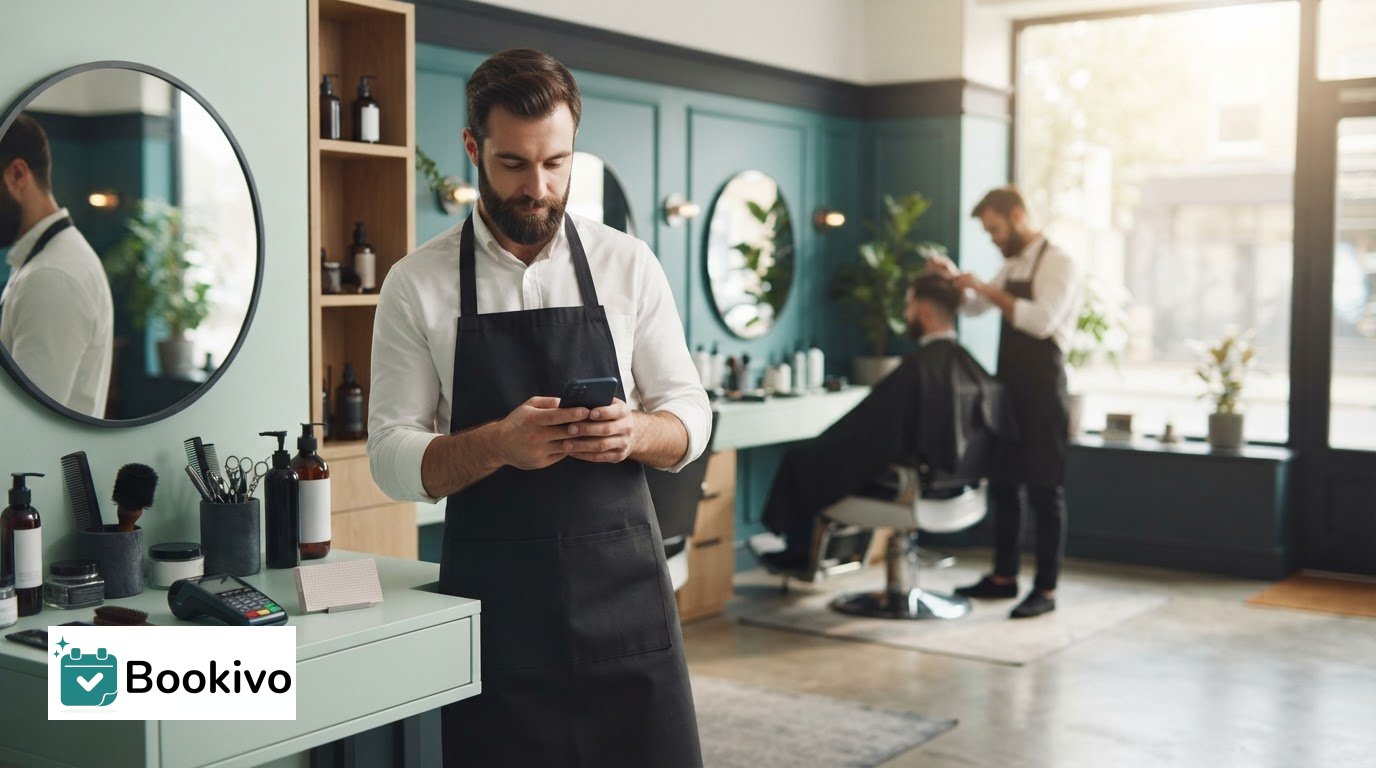
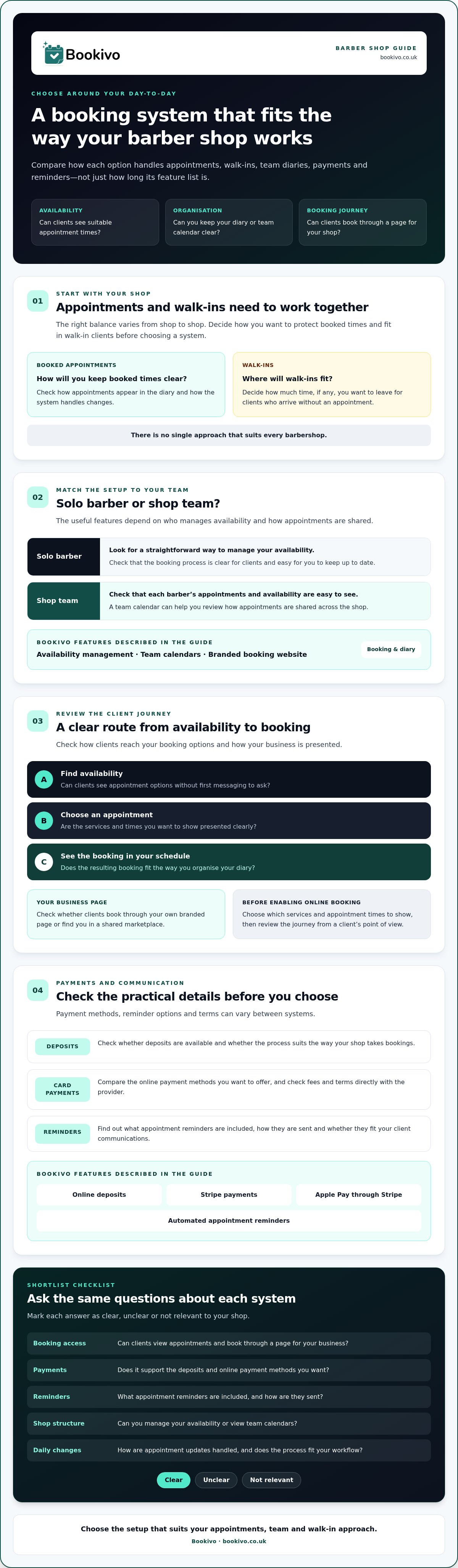
What should a barber shop booking system make easier: managing appointments around walk-ins, keeping the team’s diary clear, or taking deposits without interrupting a cut? The right setup depends on how your shop works day to day. When comparing a barber shop booking system UK businesses can use, look beyond the feature list and check how each option handles the practical details.
Juggling calls, messages and bookings while serving clients can disrupt the working day. A solo barber may need a different setup from a shop with several barbers, and payment and reminder options vary between systems. Your booking setup should help clients find an appointment while keeping your schedule and client relationships manageable.
This guide covers what to check, from online availability and team calendars to deposits, card payments and reminders. It also offers practical ways to compare systems for solo and team use, so you can shortlist an option that fits your business before signing up.
Key Takeaways
- A barber shop booking system uk should make availability easy to understand and help organise appointments, not just add another digital diary.
- Check how clients reach your booking page and whether it presents your shop under your own brand.
- Compare payments, reminders and team scheduling with the way your shop handles appointments.
- Before enabling online booking, decide which services and appointment times to show, then check the booking journey from a client’s perspective.
What should a barber shop booking system solve in a busy shop?
A barber shop booking system displays appointment availability and helps organise bookings. It should make it easier to keep the diary up to date as requests come in, rather than relying on messages, calls and separate notes. For a general overview of online appointment scheduling software, see how these tools are designed to manage appointments digitally.
Where do appointment requests create friction?
A client might message while you’re part-way through a cut. You may not see the message until later, then need to check the diary and ask which time they prefer. If availability changes in the meantime, you have to confirm the details again. These interruptions can make it harder to focus on the client in the chair. A barber shop booking system UK barbers consider should make available appointments clear and fit the way the shop works.
The balance between walk-ins and appointments varies from shop to shop. Some may take mainly bookings; others may leave time for walk-ins or manage both. Decide how you want to protect booked appointment times and fit in walk-in clients instead of assuming one approach will suit every barbershop.
What does a booking system need to make easier?
Clear availability lets clients find a suitable appointment without first messaging to ask about times. Booking software can display appointment options and organise the resulting bookings. A basic digital diary may record appointments for the barber, but it may not let clients check availability and book online themselves.
That’s different from a public marketplace listing. A booking system can give clients a direct route to appointments through your own business booking page. A marketplace presents businesses within a shared platform. Before choosing, check how clients will reach your booking options and whether the system can accommodate your preferred mix of appointments and walk-ins.
Which booking features matter most to UK barbers?
Start with the booking journey. Can clients see your availability and book through a website with your shop’s branding? A barber shop booking system UK businesses compare should make this route straightforward and give the owner control over how the business is presented. Check whether the system provides your own branded booking website or a marketplace listing, and review its commission terms rather than assuming they are the same across providers.
What should solo barbers and shop teams compare?
For a solo barber, look for availability management that’s simple to maintain and a booking process clients can follow easily. If you work with a team, check that each barber’s availability and appointments are clear in the team calendar. The right setup depends on how your shop shares appointments and manages each barber’s time. Bookivo offers availability management and team calendars alongside a branded booking website.
How should you assess payments and client communication?
Check whether you can take deposits and online card payments in a way that suits your process. Bookivo supports online deposits and Stripe payments, including Apple Pay through Stripe. Automated appointment reminders can also help with booking administration. Check what the system sends and how it fits your client communications before choosing. For current plan information, see Bookivo’s pricing details.
Review the booking page from a client’s point of view too. Preview a branded booking website to see how your business could be presented. For broader information about support available to UK businesses, GOV.UK provides a government business support directory.
How can you compare barber shop booking systems fairly?
Compare each system against the work you need it to do, not the length of its feature list. A consistent shortlist helps you judge which option suits your booking process, whether you work alone or coordinate a team. Much like barbers requiring tools built for salon workflows, other appointment-led organisations need tailored solutions; if you also manage music tuition or performing arts schedules, discover Paritor to see how dedicated software streamlines administration. When considering a barber shop booking system UK businesses can use, check the practical details before changing how clients book.
A practical checklist for shortlisting systems
Ask the same questions about each option. Mark each answer as clear, unclear or not relevant to your shop:
- Booking access: Can clients view available appointments and book through a page for your business?
- Payments: Does it support the deposits and online payment methods you want to offer? Check relevant fees and terms directly with the provider.
- Reminders: What appointment reminders are included, and how are they sent?
- Shop structure: Can you manage your own availability, or view team calendars if you have several barbers?
- Daily changes: How does the system handle appointment updates, and does the process fit your usual workflow?
Test the booking journey as a client. Is it clear what to do, and can you find the right appointment? Then check whether the system fits your routine, including the way you manage walk-ins.
How does a branded booking website differ from a marketplace?
A business-owned booking website presents your shop and its booking options under your own brand. A marketplace listing places your business on a third-party platform alongside other providers. The two approaches can differ in how clients find you, how your business is presented and whether commission applies. Check the provider’s current terms rather than assuming ownership or costs are the same across systems.
Separate confirmed features from assumptions. Verify payment methods, reminders, calendar functions, fees and any commission arrangements in each provider’s current information. Bookivo offers a branded booking website and charges no marketplace commission on bookings.
How can a barber shop get started with online booking?
Start with your current process, not the software. List the services clients can book, the availability you want to show and how you manage appointments alongside walk-ins. If you have a team, gather each barber’s working availability and decide how bookings should be organised. This gives you a practical basis for assessing whether a barber shop booking system UK option fits your shop.
What should you prepare before switching?
Check that service details and appointment options are clear, then decide how clients will reach your booking page. If you’re changing systems, ask the provider how existing appointments or records are handled. Don’t assume they can be transferred; confirm what’s possible before relying on it. Review the booking page as a client would, from finding your business to choosing an appointment.
How can you review Bookivo without committing first?
Bookivo offers a free branded preview so you can see how a booking website could present your business before signing up. It also offers a 7-day free trial without requiring a credit card. Use the preview to assess the branding and booking route, then explore the platform during the trial against the needs you listed. For broader salon operations, consider what you need beyond appointment booking, such as staff organisation and client administration.
Once you’ve checked that the setup fits, try the booking process for yourself with the free trial.
Choose a booking setup that fits your shop
The right barber shop booking system uk option should suit your daily workflow, whether you work solo or manage a team. Compare how clients book, how appointments and availability are organised, and whether deposits, payments and reminders fit the way you run the shop. Look at who owns the booking website and how bookings are handled, rather than choosing on feature count alone.
Bookivo offers a business-owned branded booking website with no marketplace commission on bookings. You can view a free branded preview before signing up, then explore the platform with a 7-day free trial that doesn’t require a credit card. Check whether the booking experience works for your clients and team.
A clear, manageable booking process can help you stay focused on the shop and make it easier for clients to arrange their next visit. Start by identifying what your business needs, then compare systems against those requirements.
Frequently Asked Questions
What should a barber shop booking system include?
A barber shop booking system should let clients view appointment availability and book online, while helping you organise the diary. For a barber shop booking system UK barbers are assessing, useful features may include a branded booking website, availability management, appointment reminders, deposits and online payments. Team calendars may be important if several barbers share the schedule. Check each feature against your workflow rather than assuming every system includes the same tools.
Can a barber shop use online booking and still accept walk-ins?
Yes, a shop can offer online appointments and accept walk-ins, but it needs a clear way to manage both. Decide which appointment times to make bookable and how you’ll fit walk-in clients around those bookings. Check whether the system’s availability and calendar features support your preferred process, and make sure the booking information reflects how your shop operates.
Do barber shop booking systems take deposits?
Some booking systems support deposits, but options vary, so check how payments work before choosing. Bookivo supports online deposits and card payments through Stripe, including Apple Pay. Confirm which payment methods are available for the type of payment you want to take, and review any applicable processing terms. Explain your deposit process clearly to clients.
Is a branded booking website different from a marketplace listing?
Yes. A branded booking website belongs to the business and presents its services and appointment options under its own identity. A marketplace listing displays the business on a third-party platform alongside other providers. Check how each system helps clients reach your booking page, who controls the presentation and whether commission applies. Bookivo provides a business-owned branded booking website and charges no marketplace commission on bookings.
How can I try a barber shop booking system before choosing?
Look for a way to review the booking experience before making a commitment. Bookivo offers a free branded preview so you can see how a booking website could look for your business, plus a 7-day free trial without requiring a credit card. Use the preview to assess the presentation, then explore the trial to see whether the system fits your appointment and team-management needs. Request your free branded preview.