Solo Beauty Business Booking Software: A Practical UK Guide
Find the right solo beauty business booking software for your UK setup. Compare online payments, diary control, and branded booking to simplify your routine.

What if booking appointments didn’t mean pausing a treatment to answer another message? For a solo beauty professional, a personal diary can be simple at first, but changes and booking requests can quickly make availability harder to keep consistent. The right solo beauty business booking software can give clients a clear way to book online while helping you keep appointment details and communication organised, with your business identity front and centre.
You shouldn’t have to choose between a professional booking experience and control over how clients find and book with you. This guide explains what to look for, from straightforward availability management to a branded booking journey, and how to assess whether a system will simplify your routine rather than add complexity. You’ll also see how to weigh up online payments, deposits and reminders, so you can choose a setup that suits the way you work.
Key Takeaways
- Choose solo beauty business booking software around your day-to-day workflow, including how clients view availability and request appointments.
- Compare booking access, availability control, payment options, client records and brand presentation before deciding which features matter most.
- Prepare your services, durations and booking information, then test the client journey before moving new appointments online.
- Explore how a branded booking website, online bookings, deposits, Stripe payments, reminders and Customer CRM could support your independent business.
Why solo beauty professionals need booking software that fits one-person workflows
When you’re the person carrying out treatments, answering enquiries, updating appointments and handling business admin, every interruption competes with client-facing work. A personal calendar can show when you’re busy, but it isn’t necessarily designed to present your services and availability to clients. Solo beauty business booking software connects your working schedule with a clear booking journey, so clients can see available appointment times and make a request without relying on a string of messages.
Booking tools generally bring appointment scheduling into a digital process. The overview of appointment scheduling software explains this broader category, but the right choice for a beauty professional should also reflect how their services are delivered and how clients book.
What changes when clients can book online?
Clients can view availability and make booking requests at a time that suits them, including when you’re working with someone or have finished for the day. A central availability view gives you one place to manage your bookable times, reducing the need to check separate message threads against your diary. It won’t guarantee more bookings or prevent missed appointments, but it can make the booking process clearer for both you and your clients.
Does a solo beauty business need salon-sized software?
Not necessarily. Start with essentials that match your current routine: presenting services, managing availability and giving clients a straightforward way to book. Team schedules or staff-management tools may matter less when you work alone. Choose a setup that feels manageable now, while considering whether it could still suit your business if your working arrangements change. Explore booking software for solo beauty professionals with those needs in mind.
If you travel to clients, your working locations may also shape how you organise availability. A mobile beauty booking setup is relevant to professionals managing appointments beyond a fixed salon space. In either case, prioritise a workflow you can keep accurate, rather than choosing a system simply because it has the longest feature list.
Which solo beauty booking software features are worth prioritising?
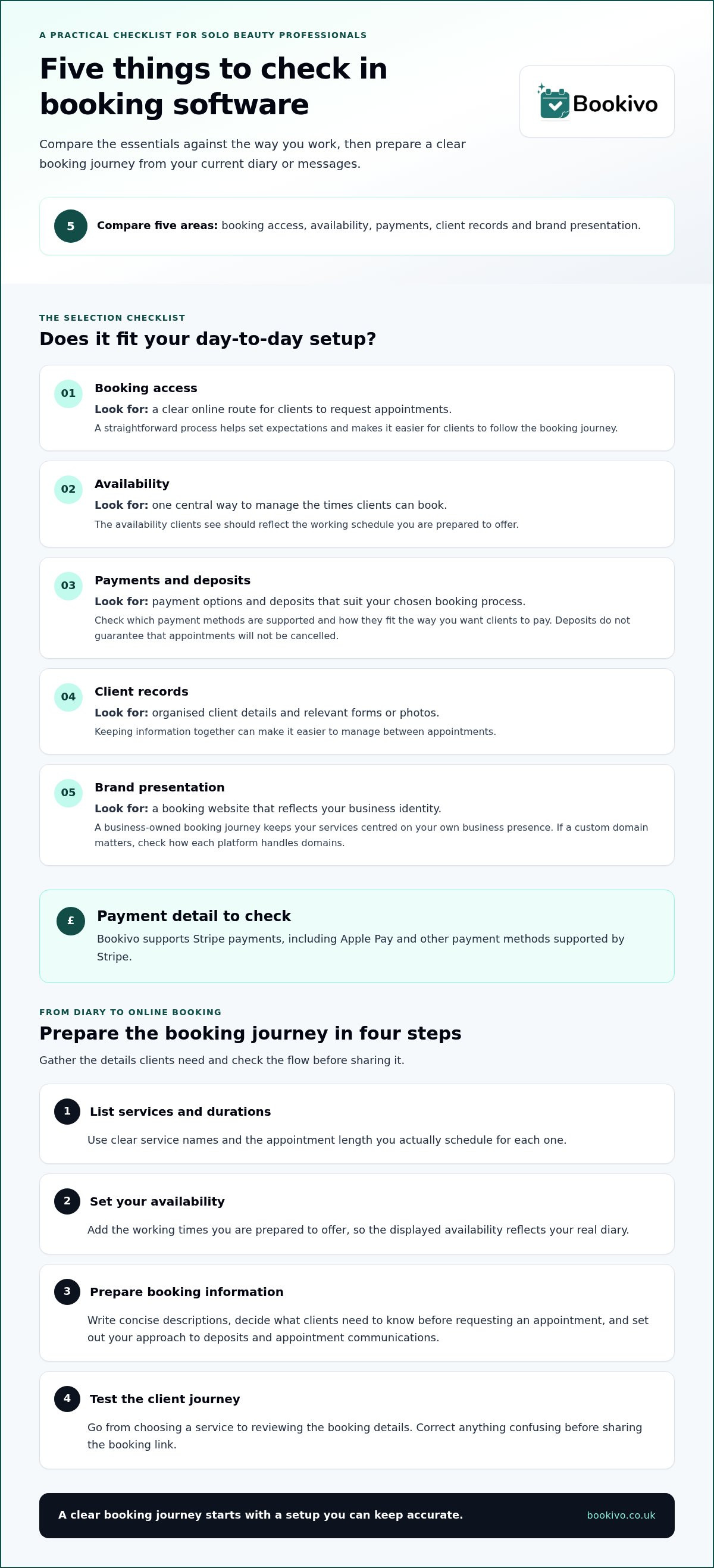
Start with the work you need the system to support, not the length of its feature list. This comparison can help you assess whether solo beauty business booking software fits your day-to-day setup.
| Area | What to look for | Why it matters |
|---|---|---|
| Booking access | A clear online route for clients to request appointments | Sets expectations and makes the booking process easy to follow |
| Availability | A central way to manage bookable times | Helps keep the times clients see aligned with your working schedule |
| Payments | Payment options and deposits that suit your chosen booking process | Lets you set out how clients pay without assuming deposits will prevent cancellations |
| Client records | Organised client details and relevant forms or photos | Makes information easier to manage between appointments |
| Brand presentation | A booking website that reflects your business identity | Keeps the client journey centred on your business |
For payments, check which methods are supported and how they fit your process. Bookivo supports Stripe payments, including Apple Pay and other payment methods supported by Stripe. A branded booking website can present your services in your own business identity. If using a custom domain matters to you, treat it as a specific point to assess rather than assuming every platform handles domains in the same way.
Branded website or marketplace listing: what’s the difference?
A business-owned booking website gives you a place to present your services and booking journey under your own identity. A marketplace listing puts your business within a shared discovery platform. The distinction matters if you want clients to book through a recognisable business presence and maintain a direct relationship through your own client records. For practical guidance on booking tools for solo beauty professionals, focus on how each option fits your client journey.
Which tools support client continuity?
Customer CRM, consultation and consent forms, and before-and-after photo storage can help keep client information organised. They support record-keeping, but they don’t provide clinical or regulatory advice. If you already have a business website, consider how booking can sit within that existing online presence. To picture how a branded booking experience might look for your business, view a free branded preview.
How to move from a diary or messages to online booking
Make the change in stages. Before setting up solo beauty business booking software, use this plan to turn the details currently spread across your diary and messages into a booking journey clients can follow.
- 1. List services and durations. Use clear service names and the appointment length you actually schedule for each one.
- 2. Set your availability. Add the working times you’re prepared to offer, allowing your displayed availability to reflect your real diary.
- 3. Prepare booking information. Write concise descriptions and decide what clients need to know before requesting an appointment. Set out your own approach to deposits and appointment communications.
- 4. Test the client journey. Follow the steps from choosing a service through to reviewing the booking details, and correct anything confusing before sharing the booking link.
Keep client records and any consent processes under your own management. Booking software can help organise information, but it doesn’t take responsibility for the decisions or processes behind your records.
What should you prepare before setting up online bookings?
Gather your service list, appointment lengths and working hours first. Check that descriptions explain what a client is booking, then prepare any practical booking information you want them to see. If you visit clients at different locations, consider how location affects the times you offer. Mobile beauty booking options are relevant when availability needs to reflect work away from a fixed salon.
How can you check the booking journey before sharing it?
Review the booking website as a client would. Check service descriptions, available times, confirmation details, business name and visual presentation. Then choose a manageable point to begin putting new appointments through the system. Keep existing bookings in view as you make the change, and update your diary or messages carefully so you don’t create conflicting appointment information.
A gradual start gives you room to check that the setup reflects how you work. Keep your first step simple: test the journey, make any adjustments, then share it with clients.
How Bookivo supports an independent beauty booking setup
Bookivo brings online bookings into a branded website, so clients can book through an experience presented under your business identity. For a solo professional, this means the booking journey can reflect your business name and presentation, rather than being centred on a shared marketplace listing.
The platform supports online bookings and availability management, with options for deposits, Stripe payments and automated appointment reminders. Customer CRM provides a way to organise client information. These tools can support practical parts of your booking process, while leaving decisions about your services and working policies in your hands.
Review the Bookivo pricing information alongside the features you expect to use. Consider whether the available booking, payment and client-management tools fit the tasks you want to organise.
A practical way to assess whether the setup suits you
Compare your current booking tasks with the features described here. Think about how you want clients to book, how you manage availability and whether reminders or organised client information would suit your routine. Also consider whether the booking website presents your business in a way that feels recognisable and professional.
Choose a low-friction next step
You can use Bookivo’s 7-day free trial without a credit-card requirement to assess how its available features fit your booking workflow. Take the time to consider the setup against the tasks you want to manage. A trial lets you explore the platform, but it can’t promise a particular business result.
Make your next booking step your own
Your booking process should support the way you want to run your business, not add another layer to manage. As you assess solo beauty business booking software, focus on whether it gives clients a clear, recognisable route to book whilst helping you stay in control of your business identity.
There’s no need to change everything at once. Decide what you want your booking journey to feel like, then consider whether the platform fits that direction. Bookivo supports bookings through a branded website and has no marketplace commission on bookings, keeping the experience centred on your business rather than a shared listing.
A considered setup can help you present your business consistently as you welcome clients to book online. Take a look at how that could work for your brand.
See what Bookivo could look like for your business.
Choose a booking approach that feels manageable today and gives your independent business room to develop. A clear next step can make the move to a more organised client experience feel straightforward.
Frequently Asked Questions
What should solo beauty business booking software include?
Assess the booking setup against a typical client booking from start to finish. Can a client distinguish the services available, understand what they’re requesting and review the details before submitting? Then consider whether you can keep that information accurate as your business changes. Choose a setup that helps clients understand what they’re booking and that you can maintain as part of your normal routine.
Can I use booking software if I work alone?
Yes. You can use a booking platform as the only practitioner in your business. You remain responsible for deciding which services to offer, what information clients need and how you communicate any changes. The software supports the booking process; it doesn’t replace your professional judgement or personal contact with clients where that’s needed.
How do I move from a paper diary to online booking?
Make clear which record is authoritative during the changeover. For example, if an existing appointment is recorded in your diary, don’t assume it has been added to the online system too. Keep a consistent process for checking upcoming commitments before accepting new requests, and retain older diary entries as a reference if you need to look back at past appointments.
Is a branded booking website different from a marketplace?
Yes. A branded booking website presents your business as the focus of the booking experience, while a marketplace is a shared setting for discovering businesses. Consider how you want clients to recognise your business online. A custom domain, where available, can make the booking address align with your business identity, so check how the web address will appear wherever you share it.
Does Bookivo charge commission on bookings?
For online payments, Stripe processing fees apply separately from the booking platform’s plan charges. Review the current pricing information and Stripe’s payment terms to understand the costs relevant to your setup. If you don’t take online payments, payment-processing fees won’t be the relevant cost to assess; focus on the plan details and functions you expect to use.