Beauty Salon Payment Processing Online: A Practical UK Guide
A UK guide to beauty salon payment processing online. Learn how to take deposits securely, connect booking software, and evaluate merchant processing fees.
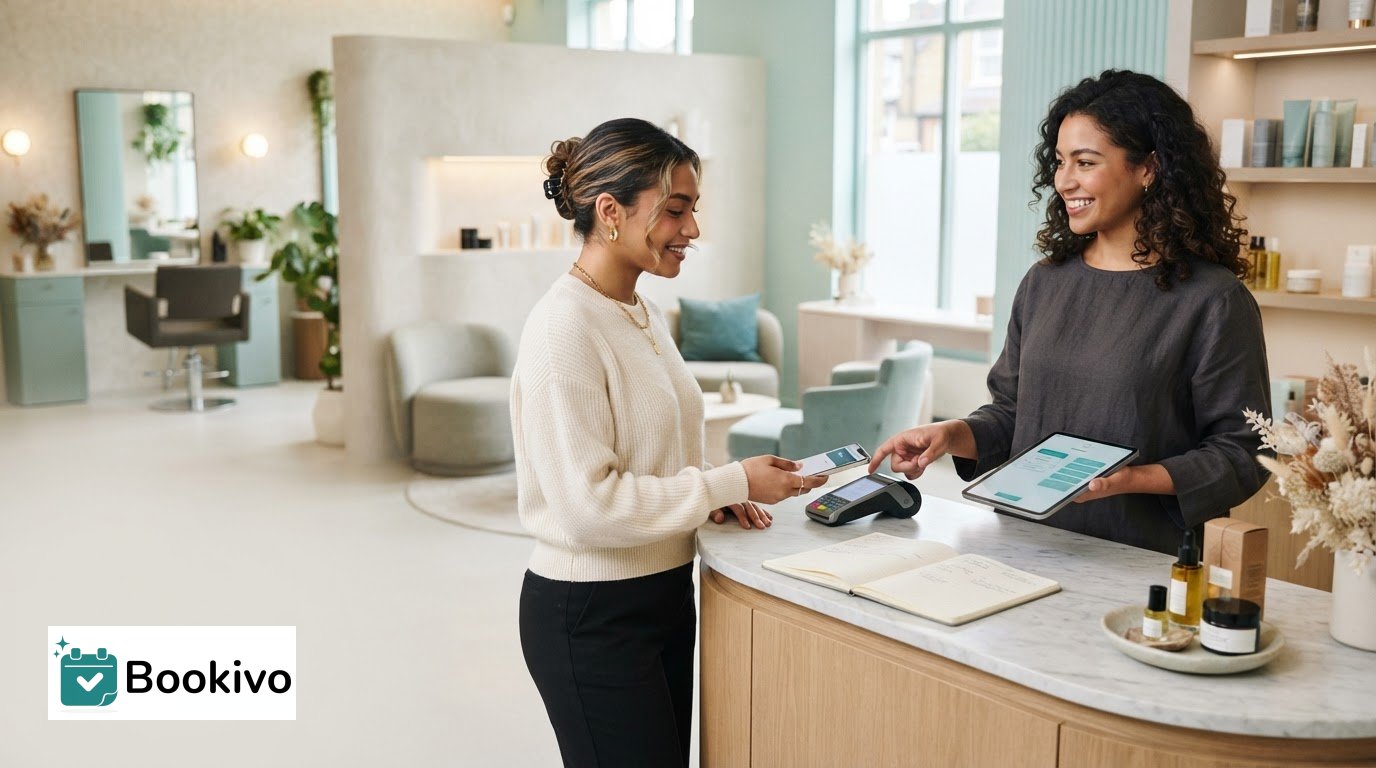
What if choosing beauty salon payment processing online starts with the appointment journey, not the card terminal? If clients have to book in one place, arrange a deposit separately and pay the balance another way, the process can become harder to manage for everyone. It’s understandable to want clear fees and a straightforward way for clients to pay without adding more manual admin.
This guide explains how online payments fit alongside booking software and an in-salon POS system, and what happens from appointment selection to deposit or full payment. You’ll learn what to compare when reviewing processing and software costs, and how to choose an arrangement that suits your services. We’ll also look at how a branded booking website can connect appointments with Stripe payments, including deposits, so you can assess whether a joined-up setup such as Bookivo fits the way your salon works.
Key Takeaways
- Separate the role of the payment processor, booking website and in-person POS system before choosing how to take payments.
- Map the client journey from service selection to appointment and payment to see where deposits or full payments fit.
- Compare beauty salon payment processing online by supported payment methods, costs and how well payments fit your existing workflow.
- Consider whether a branded booking website with online bookings, deposits and Stripe payments could bring appointments and payments together.
Beauty salon payment processing online: what it does and what it does not
Online payment processing handles a client’s digital payment for a salon service or appointment; unlike a physical card terminal, it takes place through a digital checkout. It deals with the transaction, not the diary. Booking software displays services and appointment availability, then records the booking. A payment processor handles the client’s payment using the methods made available at checkout. A branded booking website can bring those steps together, but it is not itself a card reader or payment processor.
For appointment-led businesses, offering payment during booking can help collect a deposit or full payment as part of the online journey. Alternatively, a salon may take payment after the appointment. The useful setup depends on the business’s services, booking policies and the way clients prefer to pay.
How is online processing different from a salon POS?
Online checkout is a digital payment route, not a physical till or card reader used at the salon. A POS system supports in-person checkout, while booking software manages appointments and the payment processor handles transactions. Some providers combine several of these functions, so it helps to identify which part manages appointments and which handles the payment.
Where does payment fit into an online booking?
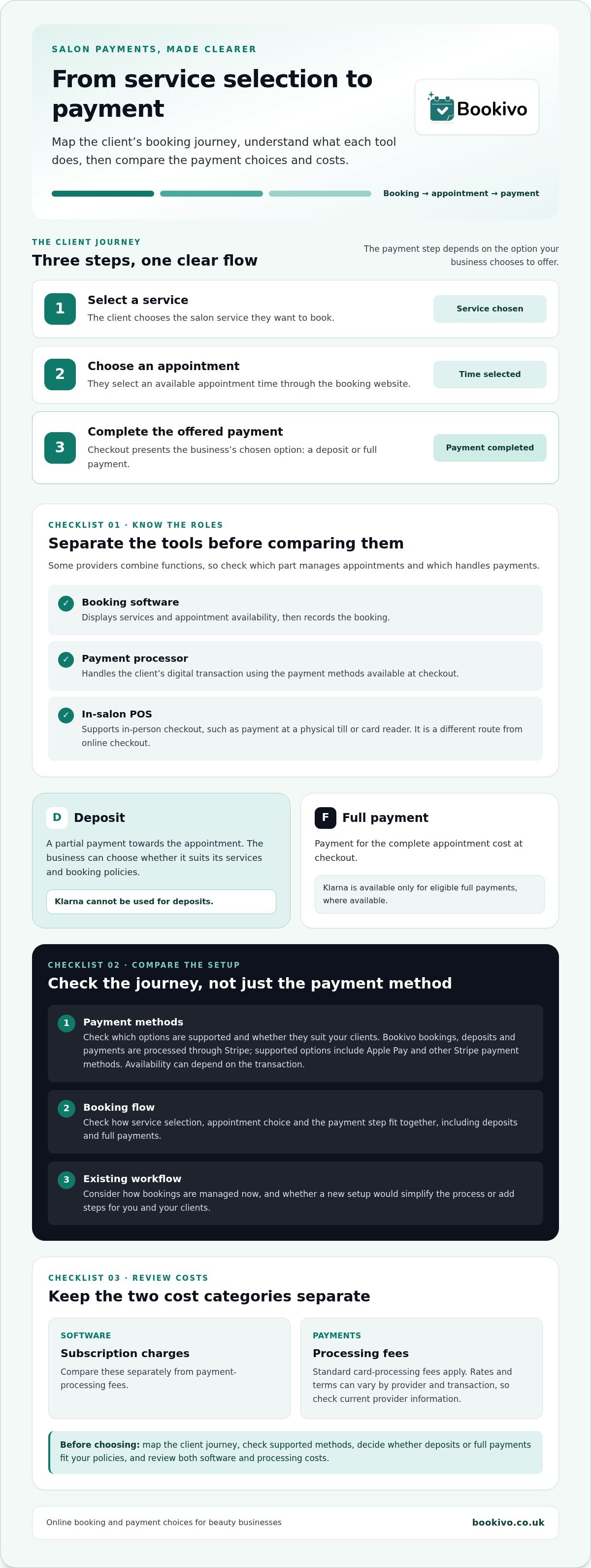
The journey usually begins when a client selects a service and chooses an available appointment. The booking flow then presents any payment step the business has chosen to offer, such as paying a deposit or the full amount. The client completes payment digitally, while the booking system records the appointment. The exact steps depend on the setup and the business’s booking policies, so map the journey before choosing tools.
For mobile beauty professionals, the booking journey also needs to suit appointments delivered away from a salon. Bookivo’s mobile beauty booking tools are relevant to that business context.
From appointment booking to payment: how the online process works
A clear booking journey lets the client move from choosing a service to confirming an appointment and completing the payment option offered by the business. For beauty salon payment processing online, the key is to make each step easy to understand without asking clients to repeat information or switch between disconnected processes.
- Select a service. The client chooses the salon service they want to book.
- Choose an appointment. They select an available appointment time through the booking website.
- Reach the payment step. The booking journey presents the payment option set by the business, such as a deposit or full payment, before the client completes checkout.
A connected booking and payment system can link service selection, appointment choice and an offered payment step in one online journey.
Bookivo’s online bookings, deposits and payments are processed through Stripe. Supported options include Apple Pay and other Stripe payment methods. The specific payment methods available can depend on what Stripe supports for the transaction. For wider UK context, GOV.UK publishes information on the UK Payment Services Regulations.
Deposits and full payments are different payment choices
A deposit is a partial payment towards an appointment; a full payment covers the complete appointment cost at checkout. These are distinct options within a booking workflow, and the business can choose an approach suited to its services and booking policies. Klarna is available only for eligible full payments where available. It cannot be used for deposits.
What the client sees at checkout
Before paying, clients need to understand which service and appointment they’re booking, and whether checkout asks for a deposit or full payment. Clear information helps them make sense of the amount requested and the payment step. Bookivo connects online bookings with Stripe payments, but the precise checkout presentation should not be assumed beyond the supported features. Preview how a branded booking journey could look for your business.
How to compare online payment processing for a UK beauty business
Compare the whole booking journey, not just the payment method. A suitable setup should let clients use payment options they recognise, while fitting the way you take bookings and manage appointments. For beauty salon payment processing online, consider these points together:
- Payment methods: Check which options are supported and whether they suit your clients. Bookivo supports Apple Pay and other Stripe payment methods.
- Booking flow: Look at how payments fit with appointments, deposits and full payments. Consider whether clients can complete the process without being sent through disconnected steps.
- Existing workflow: Think about how bookings are currently managed, and whether a new setup would simplify or add steps for you and your clients.
Also consider how clients reach online booking from your salon website. A clear route from service information to appointment selection can make the payment step feel like part of the booking, rather than a separate task.
Which costs should a salon compare?
Keep software subscription charges separate from payment-processing fees. Standard card-processing fees apply, and rates or terms can vary by provider and transaction, so review current provider information before making a comparison. For Bookivo’s current subscription information, visit the pricing page. The Financial Conduct Authority’s guidance on payment institutions explains the UK context for firms in this area; it does not replace checking the terms that apply to your own payment setup.
Does the setup suit solo professionals and teams?
A solo professional may prioritise a straightforward way to manage their own appointments. A salon team may need booking tools that fit appointments across the business. Compare the setup with how your diary is organised now, and consider whether online booking connects smoothly from your salon website to payment. Bookivo provides booking and business-management software for solo beauty professionals and salon teams.
Connect salon bookings and online payments with Bookivo
Once you’ve compared payment methods, costs and how each option fits your diary, consider whether you want bookings and payments connected in one branded journey. Bookivo is booking and business-management software for UK beauty businesses. It provides a branded booking website, online bookings, deposits and payments through Stripe, so clients can book through your business’s own online presence and make an offered payment as part of that journey.
There’s no marketplace commission on bookings through Bookivo. Standard card-processing fees still apply, so include them when comparing your overall costs. This distinction matters: no marketplace commission doesn’t mean payment processing is fee-free.
A branded booking journey with integrated payment options
Payments are processed through Stripe, with Apple Pay and other supported Stripe payment methods available. The options presented can depend on the transaction, so don’t assume every method will be available for every payment. For current subscription details, see pricing information for salon booking software. If you’re planning how clients will move from your existing site to your booking journey, make that connection part of your setup decision.
For a salon, the practical question is whether clients can find your services, choose an appointment and reach the payment step without losing the connection to your business. That can make beauty salon payment processing online feel like part of booking, rather than a separate process to manage.
Choose a low-friction next step
Start by viewing a branded preview to see how the booking experience could appear for your business. If it looks like a fit, you can then try the platform. Take time to consider whether its booking and payment approach suits your services and day-to-day workflow.
Make your next booking-system decision with confidence
The right setup should make sense for the way your business runs, not add another process to manage. Before choosing, consider how clients will move from finding an appointment to completing payment, and whether the arrangement feels clear for both them and your team. A well-matched approach to beauty salon payment processing online can support a smoother booking experience while keeping your day-to-day workflow practical.
If you’re weighing up your options, start by seeing how a branded booking experience could look for your business. You can also explore the 7-day free trial without entering credit-card details, then decide whether it suits your needs.
Take the next step at your own pace and choose a setup that feels right for your salon.
Frequently Asked Questions
How does online payment processing work for a beauty salon?
Online payment processing lets a client pay digitally, while booking software records appointment details. For beauty salon payment processing online, the journey usually starts with a client choosing a service and appointment, then reaching the payment step. The system and salon workflow determine whether checkout requests a deposit or full payment, and how those stages connect.
Can a beauty salon take deposits online?
Yes, an online booking system may support deposits, depending on its payment setup. A deposit is part of the appointment cost rather than the full amount. Bookivo supports deposits through its online booking and Stripe payment functionality, while the business sets its own booking and payment policy. Klarna isn’t available for deposits; where available, it applies only to eligible full payments.
Are card-processing fees included in salon booking software?
Not necessarily. A software subscription and card-processing fees are separate considerations when comparing a salon’s setup. Standard card-processing fees apply to Bookivo payments, but the applicable terms should be reviewed rather than assumed. To understand the overall cost, compare current subscription information and payment terms together, then consider how each option fits your booking workflow instead of relying on a single headline figure.
Can clients use Apple Pay to pay a beauty salon online?
Yes, Bookivo supports Apple Pay and other payment methods supported through Stripe. The payment methods a client sees depend on what’s available for the relevant payment flow. For example, the options shown for a deposit may differ from those available for a full payment. This gives salons a way to offer supported digital payment choices without assuming every option works for every client or transaction.
Can clients pay salon deposits with Klarna?
No. Klarna isn’t available for deposits through Bookivo. It’s available only on eligible full payments where available, so a client can’t use it to pay a portion of an appointment cost as a deposit. Eligibility isn’t universal, and Klarna shouldn’t be assumed to apply to every service, client or transaction. Keep the distinction clear when explaining payment options to clients.