Salon booking system with deposits for Instagram and salon websites
Learn how a salon booking system with deposits connects your Instagram profile and website, handles upfront payments, and keeps your client diary organised.
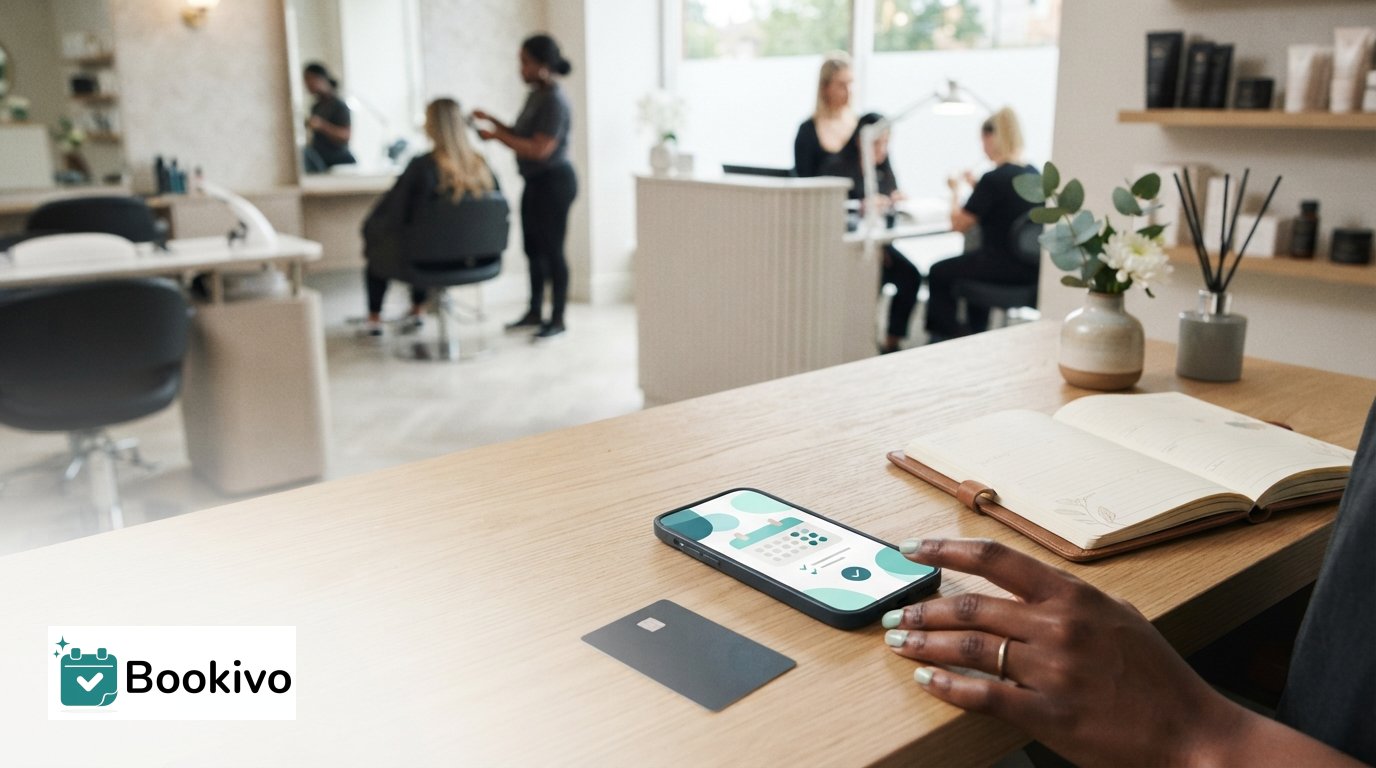
A salon booking system with deposits lets clients book online and pay an upfront amount, either as a deposit or in full. Booking software can also send text reminders, though the options for changing their wording and timing vary by system.
It’s reasonable to want reminders to sound like your salon, rather than like a generic message. Look for settings that let you control what clients receive and when, and make sure deposit terms and appointment-change instructions are clear.
This guide explains how clients can book through Instagram and your salon website, how deposits and online payments fit into the process, and what to consider when setting reminders, cancellation terms and rescheduling instructions. It also covers payment arrangements and how to choose a booking setup that makes appointments easy for clients to manage and keeps your diary organised.
Key Takeaways
- Give clients a simple route from your Instagram profile or salon website to an online appointment booking page.
- Set a clear deposit approach for the services you choose, and make payment arrangements easy for clients to understand.
- Review reminder settings so messages fit your salon’s communication style, and spell out how cancellations and rescheduling are handled.
- Compare booking, payment and diary management features with the way your salon operates before choosing a system.
Online booking through Instagram and salon websites
UK salon booking systems with online payments can take deposits when clients book through a linked booking page. Paying upfront may encourage clients to keep their appointments and help reduce missed bookings and late cancellations, though it cannot prevent them entirely.
Diary management and appointment availability
Connect your booking page to your salon diary so clients can choose from the appointments you make available. For example, display a stylist’s open slots and services so clients can select a suitable time without exchanging messages. Before sharing the link on Instagram or your website, organise your services, staff availability and appointment durations. This helps prevent clients from choosing a slot that does not fit the service.
Use the same booking link across your channels. Add it to your Instagram profile and website booking button so clients see the same availability. A salon booking system with deposits can bring appointment selection and payment together, rather than leaving you to copy details from direct messages into a separate diary.
Full and partial upfront payments
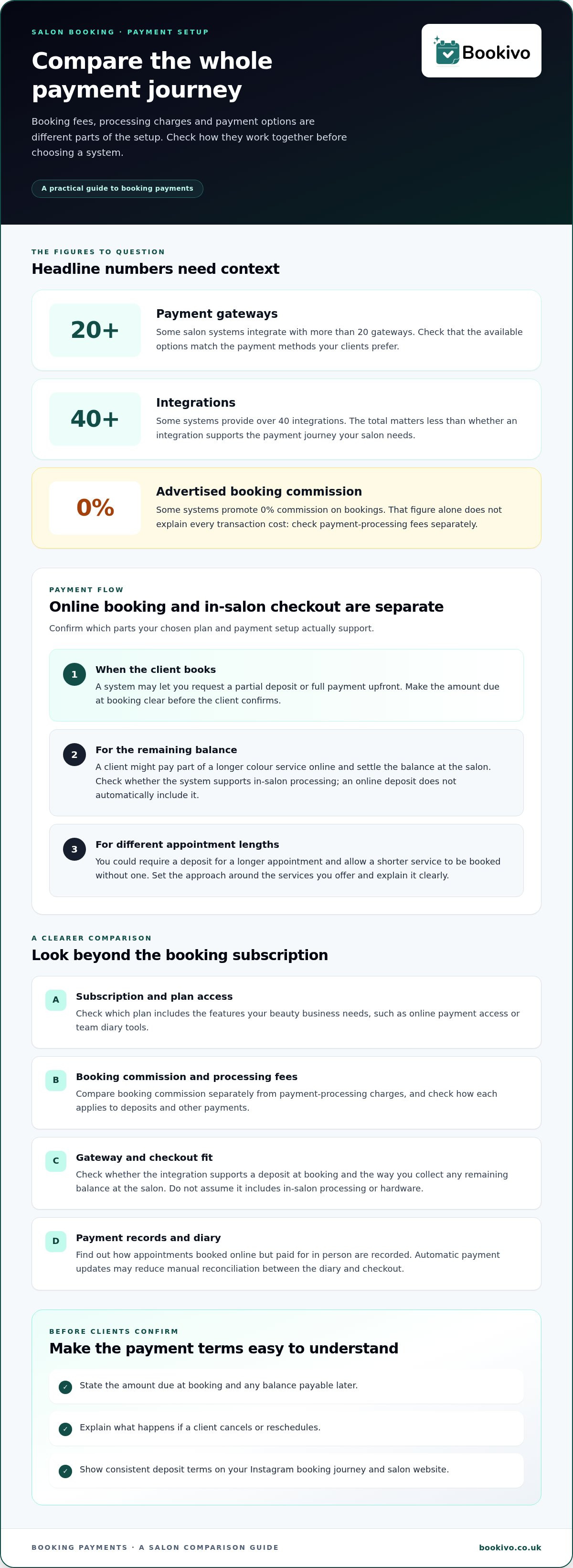
Online booking systems may let a salon request full payment or a partial deposit upfront. For example, a client booking a longer colour service could pay part of the cost online and settle the balance at the salon. You might choose a different arrangement for a shorter appointment. Make the amount due at booking and any remaining balance clear before clients confirm.
Compare online booking payments with in-salon payment processing as separate features. Taking a deposit online does not automatically mean the platform processes the remaining balance in person. Choose a payment flow that matches how your salon collects payments, records appointments and handles balances. Do not assume every platform includes both options.
Deposits and missed appointments
A deposit is part of the appointment cost, paid before the client attends. That upfront commitment may encourage clients to keep their booking and gives the salon a clear basis for applying its cancellation policy. It cannot prevent every no-show or late cancellation. Explain the deposit terms when clients book, including what happens if they change or cancel their appointment.
Set your deposit approach according to the services you offer. For example, you could require a deposit for a longer appointment but let clients book a shorter service without one. Keep the policy consistent across your Instagram booking link and salon website. When clients see the same terms before confirming, they can make an informed choice and know what to expect.
Payment integrations and plan access
Compare the full payment setup, not just the booking subscription. Check payment methods, processing charges, in-salon checkout and the features included in each plan.
Pricing and processing fees
Review the subscription structure alongside any charges linked to processing payments. Some systems advertise 0% commission on bookings, but that figure alone doesn’t explain every possible transaction cost. Separate booking commission from payment-processing fees, then compare how each applies to online deposits and other payments. Also check which plan includes the features your beauty business needs, such as online payment access or team diary tools. A clear comparison helps you understand the likely ongoing cost without treating one advertised rate as the full picture.
Payment gateway integrations
Payment gateways connect booking software with the service that processes a client’s payment. Some salon systems integrate with more than 20 payment gateways and provide over 40 integrations. Compare the gateways available with the methods your clients prefer, and check whether the integration supports the payment journey you need. For example, can a client pay a deposit when booking, while you accept the remaining balance at the salon?
In-salon payment processing is separate from online deposits. Check how the system records an appointment booked online but paid for in person. Automatic payment updates may reduce manual reconciliation between the diary and checkout. Do not assume an online payment integration includes in-salon processing or hardware. Match the plan and payment setup to your existing checkout routine.
Also consider how clients find your booking page. A client arriving from Google or an Instagram profile should reach a consistent payment flow, with the deposit and remaining balance explained before confirming. To see how a branded booking page could appear for your salon, consider the client journey from service selection through payment.
Cancellation and rescheduling policies
A clear policy explains what happens if a client cancels, reschedules or misses an appointment. Set out the terms before they book, then make sure reminders and staff responses are consistent.
Deposit and cancellation policy settings
Decide which services require a deposit and what happens if a client cancels or reschedules. Display the terms alongside service and payment details, before the booking confirmation step. For example, explain whether a deposit stays attached to a new appointment if a client moves a colour booking. Show the same policy on your website and Instagram booking journey.
Test the client journey yourself. Book a sample appointment, review the confirmation and check how the diary records a cancellation or change. Set reminders to repeat practical details, not introduce new terms after booking. You can also review client feedback to identify confusing wording, such as unclear rescheduling instructions or refund expectations.
Deposit, cancellation and refund rules
For UK salons, explain deposit, cancellation, rescheduling and refund terms clearly before clients confirm. Apply your published terms consistently, while considering the circumstances of an individual complaint. This is practical information, not legal advice. For a specific dispute or policy question, consult authoritative UK consumer guidance.
Explain each possible outcome separately. Tell clients how to cancel, how to request a new appointment and how the salon handles a deposit in each situation. Avoid a broad statement such as “deposits are non-refundable” without explaining when it applies. A client who cancels early may have different expectations from someone who misses the appointment.
Set a simple process for handling exceptions. Record the client’s request and appointment details, along with the decision, then respond clearly. If a consultation or service change affects the appointment, explain whether the booking needs updating. Consistent records help you handle cancellations fairly and keep the diary accurate.
Salon booking systems and software
Useful salon software connects the client booking journey to the working diary. Before choosing a system, compare how it handles availability, deposits, reminders and staff calendars.
For example, a client may book a cut with one stylist and a colour appointment with another. Check how the software displays each person’s availability and service duration, and whether you can manage the diary without switching between separate tools. A clear view of appointments helps the team plan the day and spot scheduling clashes.
Text reminders matter too. Salon software can send reminders by text or email, but options for changing message wording and timing vary. Review the settings: can you match the message to your salon’s tone, include practical appointment details and choose when it is sent? Try a sample message before using it with clients.
Look beyond deposits when comparing booking systems. Consider whether the software suits your team, online payment, client-record and consultation needs. A solo stylist may value a simple diary, while a salon with several stylists may need a shared view of team availability. List your essential tasks first, then compare each platform against them.
Test the full client journey before deciding. Select a service, choose a stylist, review the appointment details and follow the payment and confirmation steps. Then check what appears in the salon diary. This practical walkthrough can show where clients or staff may need clearer instructions.
Review your salon software each year to check that it still meets your business needs. Changes to services, staffing or booking routines can make an existing setup less suitable. Revisit your requirements and test the client journey again.
Bookivo: Beauty & Salon Booking Software
Bookivo brings online appointment booking, deposits and payments together for UK beauty businesses. Its branded booking website lets clients manage appointments and make online payments at any time, giving salons a booking route they can share from Instagram or their own website.
Consider Bookivo if you want a dedicated booking platform for your salon or aesthetics clinic, rather than managing appointment requests across separate channels. Its branded page gives clients a direct way to view and book appointments, and your business can take deposits online.
To explore how this setup could fit your salon, visit Bookivo’s website.
Shape a booking experience that fits your salon
Review your salon booking system with deposits when your current process no longer suits the way your business runs. Start with one improvement you want clients to notice, such as a clearer route from your Instagram profile to a confirmed appointment. Then check whether your diary, payment process and client-facing information work together to support it.
Bookivo offers Beauty & Salon Booking Software, Aesthetics Clinic Booking Software and an Online Appointment Booking System. Its branded booking website gives clients a direct place to book and pay deposits online. Use the free branded preview to picture the booking journey for your business, rather than choosing software by feature list alone.
Consider the impression you want clients to have at each step, from finding your booking page to receiving confirmation. A consistent, easy-to-follow process can present your salon professionally and make appointments easier to manage.
Build a booking setup that works for your salon, and take the next step at your own pace.
Frequently Asked Questions
Can I customize my salon’s text reminders?
Some salon booking software lets you customise reminder wording and timing, while other systems use set message formats. You might want a reminder to include your salon’s name, the appointment time and arrival instructions. Review the settings to see whether they give you enough control to sound like your business. Do not add policy details that conflict with the terms clients saw when booking.
What are hair salon booking systems and software?
Hair salon booking systems are digital tools for managing appointments, services and staff availability. Clients can use one to choose a service and select an available slot, while the salon uses it to organise the diary. Some systems also bring together online payments, client details and reminders. For example, a salon with several stylists can coordinate bookings across their schedules in a shared system.
What if my client reschedules or cancels their appointment?
Follow the cancellation and rescheduling terms shown when the client booked, then update the appointment record. If a client asks to move a colour appointment, confirm the new slot and explain how the existing deposit is treated under your policy. Record the agreed change, especially if staff handle messages across different channels. Clear records help prevent misunderstandings about the original booking.
Why do salons stay away from taking deposits?
Some salons may worry that requesting an upfront payment makes booking less convenient or puts off clients who prefer to pay in person. Deposits can also prompt questions about cancellations, refunds and appointment changes. You could require deposits for selected services instead of applying them across your whole menu. Clear terms and a straightforward payment journey help clients understand the arrangement.
How much do UK salon booking systems charge for deposits and online bookings?
Costs depend on the software subscription and payment-processing charges for transactions. A deposit is an amount collected towards an appointment, not necessarily a separate software fee. Compare the recurring software cost with online payment-processing charges, and distinguish booking commission from payment-processing fees. This gives you a clearer view of the overall cost of your salon’s booking and payment setup.
Which salon booking systems support fixed-amount and percentage deposits?
Check whether the booking software lets you set a fixed-value deposit or a percentage of the service price. A fixed amount can be simple to use across services with similar prices, while a percentage can vary with the service cost. For example, a salon may want different deposit calculations for a short trim and a longer colour service. Compare the available options with the way your services and prices are organised.