Choosing salon appointment diary software for varied service times
Salon appointment diary software for varied service times, clearer availability, online bookings and organised client notes to help keep your diary on track.
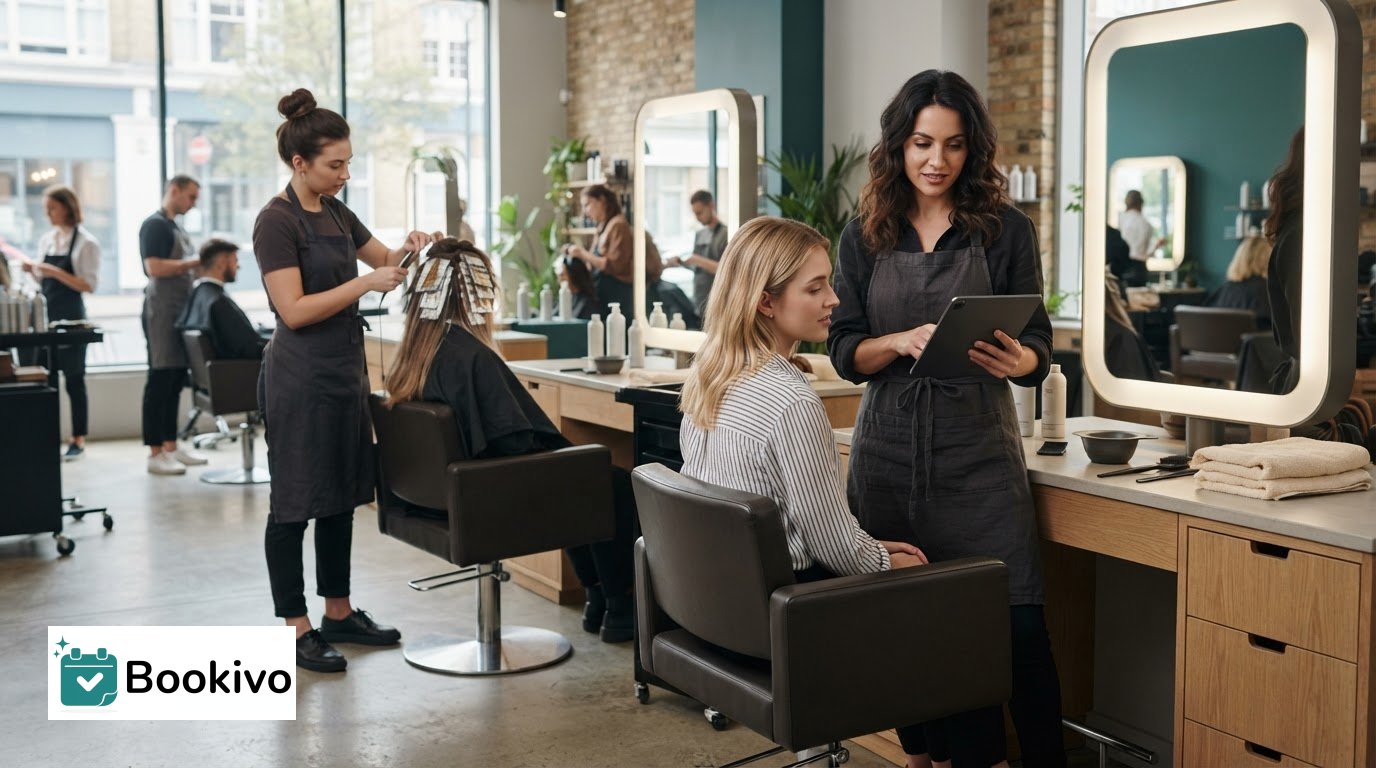
Salon appointment diary software handles different service times by assigning each booking its own duration, so a shorter appointment needn’t block out time meant for a longer treatment. For example, a root touch-up may take 45 minutes, while a full balayage with toner can occupy a stylist for three hours or more. Setting realistic durations helps the diary show appointment availability more clearly and reduces the risk of overlapping bookings.
That flexibility matters when your day includes different services, staff and clients. When choosing salon appointment diary software, compare how it handles varied service durations, online bookings, client records, deposits and cancellations. Consider how these features work together to keep your diary organised without adding unnecessary admin.
Key Takeaways
- Set each service’s duration and any practical buffer in the diary so available slots reflect the time your team actually needs.
- Make online booking easier to find by placing booking links where clients already look, including your website and social channels.
- Keep useful client preferences and service notes organised, and record only information your team genuinely needs.
- Compare how systems handle reminders, deposits and cancellations to find a booking process that suits your salon’s needs.
Booking links for websites, social media and Google Business
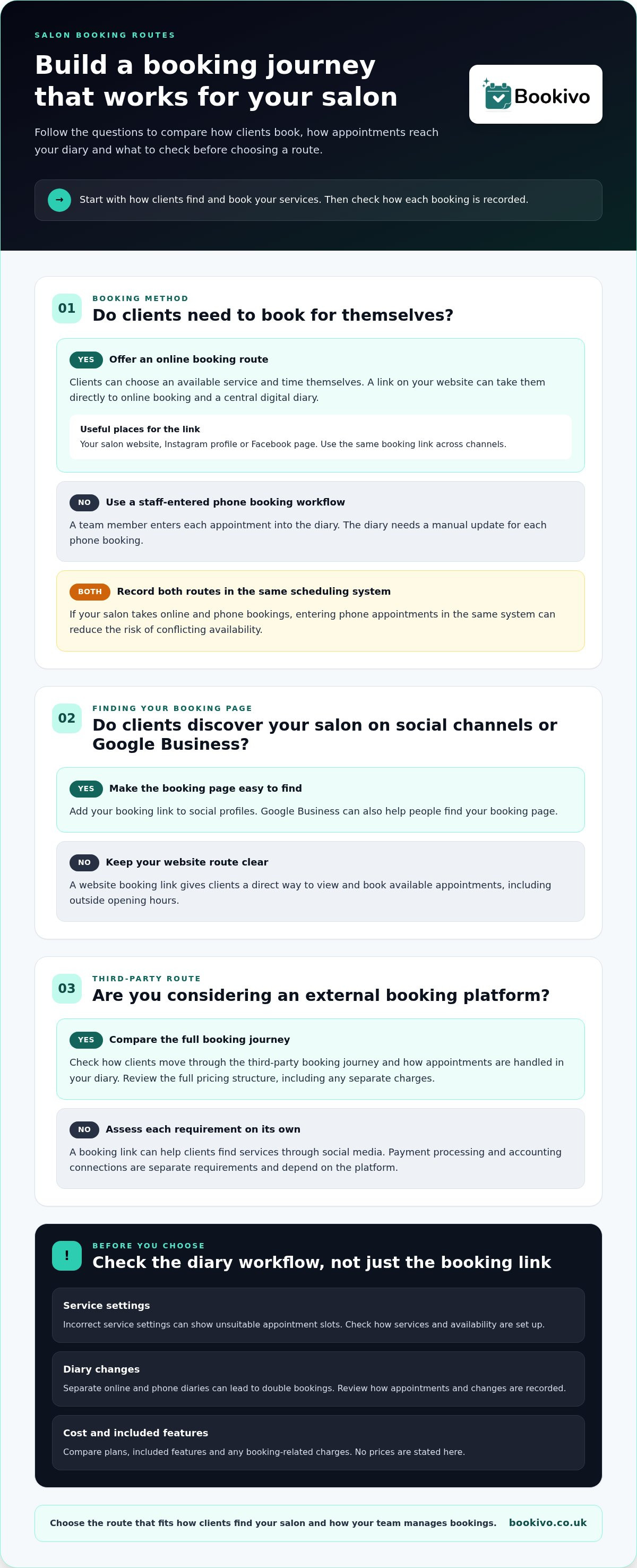
For UK hair salons, booking links connect an online appointment diary with the places clients already find your business. Before choosing salon appointment diary software, compare how it handles service selection, availability and appointment management.
Website and social media booking links
A booking link on your salon website, Instagram profile or Facebook page gives clients a direct way to view and book available appointments, even outside opening hours. Google Business can also help people find your booking page. Use the same link across channels, and consider how appointment reminders fit into the booking process.
Direct and phone booking workflows
With online booking, clients choose an available service and time themselves. With phone booking, a team member enters the appointment into the diary. If your salon uses both, record phone bookings in the same scheduling system to reduce the risk of conflicting availability. Clients may also come across alternative booking platforms, so compare the booking journey and diary workflow rather than assuming each channel works in the same way.
Which salon diary software connects with payments, accounting and social media? These are separate requirements. A booking link can help clients find your services through social media, while payment processing and accounting connections depend on the platform. Assess each need individually rather than assuming a booking link provides all three.
| Option | Booking route | Diary control | Cost comparison |
|---|---|---|---|
| Website link | Direct online booking | Central digital diary | Compare plan and included features |
| Social link | Profile-to-booking journey | Depends on connected platform | Review any separate charges |
| Phone workflow | Staff-entered booking | Manual diary update required | Consider staff time |
| External route | Third-party booking journey | Compare diary handling | Review the full pricing structure |
Compare total costs and functions, not headline prices alone; no price is stated here.
What are the risks and drawbacks of salon booking software? Incorrect service settings can show unsuitable appointment slots, while separate online and phone diaries can lead to double bookings. Before choosing a system, review the booking steps, how diary changes are recorded and whether its payment features suit your process.
Choose the option that fits how clients find your salon and how your team manages bookings.
Client records, colour formulas and allergy-test notes
Useful client records help stylists prepare for appointments. Keep service history, preferences and relevant notes together, such as a previously used colour formula or an allergy-test note. Digital records let staff find these details alongside the booking, rather than searching through separate paper files. Use a consistent format so records are clear and useful.
Handle client information carefully. To meet your UK GDPR responsibilities, record only the service and communication details your team needs. Consider who can access each record, how you manage consent, whether images may be used and how long information is retained. A digital system can help organise records, but your business remains responsible for its data practices. Review your processes during setup and whenever they change.
Before moving records, decide which details are still relevant and organise them into consistent fields. For example, keep contact details, service history and colour notes separate rather than importing them as one block of text. Review how the system fits with your other tools, such as payments or accounting, before moving data. Compare the pricing structure too: subscriptions and booking-related charges affect your costs in different ways.
Client history can also inform rebooking and lapsed-client follow-up. A record showing a client’s previous service gives the team context for a timely, relevant message, rather than a generic prompt. Build this into setup by agreeing who reviews records and when follow-up happens. A clear booking journey matters too; previewing a branded booking website can help you assess how clients move from choosing a service to booking.
What role does client history play in a hair salon booking system?
Client records give salon owners useful context for appointment reminders, such as a client’s preferred contact method, recent visit and booked service. Before enabling automated messages, make sure contact details are current and the wording suits the appointment. A reminder for a colour service, for example, can include the date and time so the client can quickly find the booking.
Automated SMS and email reminders can help reduce missed appointments, though they cannot prevent every cancellation or no-show. They save staff from sending each message individually. Choose wording that identifies the salon, appointment and response route clearly. Keep messages focused, and make it easy for clients to act on them.
SMS and email suit different communication preferences. A text is easy to read on a mobile, while an email can hold more booking details. Use the contact method the client has provided, and update records when their details change. Tailor reminders to the service: a brief prompt may suit a routine cut, while a longer appointment may need preparation information already agreed with the client.
Track appointment outcomes in the salon diary. Record cancellations, rescheduled visits and missed appointments consistently, then look for patterns across services or days. If late cancellations cluster around one service, review its booking and reminder process. Client records can add context, but a pattern alone does not explain why an individual client missed an appointment.
Keep messages useful and avoid sending too many. Set a clear process for updating contact details, handling replies and recording booking changes. Automated reminders support communication, but do not replace a direct conversation when a client needs help. Review the wording regularly, and make sure staff know how each reminder relates to the live diary so clients do not receive outdated details after a change.
Payments, deposits and cancellation policies
Payment settings shape how clients secure appointments and how salons handle changes. Compare online deposits, in-person payments and cancellation processes separately.
Deposits and card payments
A deposit is paid when a client books and can reduce the financial impact of a missed appointment. Card payments can make taking a deposit straightforward, but check how payment processing works and what the client sees before confirming. Explain the deposit amount and what happens if plans change. Make sure the booking confirmation matches the policy shown to clients.
Cancellation policies
A cancellation policy explains how clients can change or cancel a booking and what happens to any deposit. Before clients book, state the notice period, contact method and deposit terms in plain language. Make the policy visible near the final booking step, not only in a separate message. Staff should follow the same process when recording cancellations in the diary.
In-person point-of-sale payments differ from payments made during online booking. A salon might take payment after a cut or colour service, while an online payment is processed as part of the booking. Check that the scheduling platform supports the payment process you need. An online deposit does not mean the software includes a card terminal. Record in-person payments through your chosen payment method and update the appointment status consistently.
Assess deposit settings, payment processing, cancellation handling and monthly charges together. Check whether the diary updates when a client changes an appointment and whether staff can see its payment status. Then map a typical client journey: booking, paying a deposit, rescheduling and settling the balance in the salon. This can reveal gaps that a list of features might miss.
Bookivo: Beauty & Salon Booking Software
Bookivo provides online booking and business management software for UK beauty businesses. Its branded booking website lets clients book appointments and pay deposits or full amounts online, including outside salon opening hours. For salons moving towards a more organised digital process, it gives clients a direct route to the services under the salon’s own brand.
When comparing diary options, consider how online booking, payments and your client-facing website fit into daily work. Bookivo offers an online appointment booking system for beauty and aesthetics businesses. It can help salons move away from handling every booking manually while keeping the client journey connected to their own brand.
Make your next booking system decision with confidence
Before choosing salon appointment diary software, map out how you want a typical working day to run, from the first client booking to closing the diary. Use that workflow to assess whether the system is clear for both staff and clients. Choose software that supports your working style and lets you refine the process as your services develop.
Bookivo offers beauty and salon booking software, including an online appointment booking system. Explore how its branded booking website could fit the way your business presents and manages appointments.
A clear, practical diary can help you approach each working day with greater focus. Choose a setup that works for your team and is straightforward for clients to use.
Frequently Asked Questions
Hair salon services have very different durations: how does software handle this?
Booking software can assign a duration to each service, reserving different amounts of time for different appointments. Set up services such as consultations, cuts and colour treatments separately, then assign each to the appropriate stylist. If the system supports buffers, allow time for preparation or tidying. Review availability after setup to catch gaps or overlaps before clients can book.
Can my clients book online without calling?
Yes. Clients can use your salon’s booking page to select a service and choose from the available appointment times without phoning the salon. Use clear service names and keep the online menu in line with what your team offers. This helps clients select the right appointment and gives staff a clear booking record.
How does an online booking system prevent double bookings across multiple stylists?
A shared team diary can prevent conflicting bookings when staff availability and appointments are kept up to date. For example, once a client’s cut is assigned to a stylist, that time should no longer be available for another appointment with the same person. Before choosing software, check how it handles staff calendars, breaks, changes and phone bookings, as these all affect availability.
How much does salon booking software cost in the UK?
Costs depend on the pricing model and the features your salon needs. Compare the recurring subscription, any charges linked to bookings, payment-processing fees and costs for staff access or additional tools. A solo stylist may need a different setup from a salon with a larger team. Look at the full cost structure, not just the headline subscription.
What should you take into consideration when choosing salon software/apps?
Start with your daily workflow: list how clients book, how staff manage appointments and what records the team needs. Test the booking journey on a mobile, then check that the diary suits your team and service menu. Review data export options, support and the full pricing structure. A practical trial can reveal workflow issues that feature lists do not show.
What features should salon appointment diary software include?
Choose features that support the tasks your salon needs to manage. A useful shortlist could include service-specific durations, team availability, online booking, client records, reminders and deposits. A salon with several stylists may prioritise a shared team calendar; a solo professional may focus on straightforward booking and client management. Check that each feature fits your actual workflow.