Salon Automation Software: A Guide for UK Beauty Salons
Discover how salon business automation software can streamline daily admin, simplify bookings, and support UK beauty salons without disrupting routines.

What if automation didn’t mean changing everything about the way your salon works? Coordinating appointments and replying to client messages can take time away from the work itself, but adopting new software can feel like one more disruption. The right salon business automation software can support routine tasks while leaving you in control of how your business runs.
Start by looking at the jobs you repeat most often. Online booking, appointment reminders, deposits and digital consultation forms are examples of tasks software may help manage. The aim isn’t to automate every interaction. It’s to make booking and preparation more straightforward for clients, and reduce avoidable administration for you.
This guide explains which salon tasks automation can support, how booking, preparation and follow-up can fit into a more organised workflow, and how to introduce a system gradually. You’ll also learn what to look for when choosing software, so you can identify a practical first step without overhauling established routines.
Key Takeaways
- Salon business automation software can handle repeatable admin tasks, while you and your team remain in control of client care.
- Map how clients book, receive preparation information and communicate with your team to spot where a connected workflow could help.
- Start with one recurring task: document the current process, set up a simpler workflow, explain the change to your team and review how it works.
- When comparing systems, consider how online booking, reminders, forms and team calendars could fit your salon’s existing routine.
Daily Tasks Salon Automation Software Can Handle
Salon business automation software uses configured workflows to manage repeatable administrative tasks. In a beauty business, that might mean handling parts of appointment administration, sharing routine information with clients or keeping team availability organised. It supports the people doing the work; it isn’t a substitute for staff or the owner’s judgement.
A useful distinction is between a repeatable step and a decision. Sending a reminder or recording information through a form follows a set process. Responding to an unusual request, resolving a booking issue or deciding how best to communicate with a particular client still calls for a person who understands the context.
Which everyday salon tasks are suitable for automation?
Look for tasks that happen in much the same way each time. Depending on the system and the workflow you set up, these could include:
- Managing online appointment bookings and keeping availability organised.
- Sending appointment reminders, so clients receive routine booking information without staff having to send each one manually.
- Collecting client details through digital forms, ready for the team to review before an appointment.
The owner chooses what happens and when. Keep a route for staff to respond personally when a client has a question, needs clarification or requires a conversation that falls outside the routine process.
Does automation mean losing the personal touch?
No. Automation can take care of predictable administration, while your team remains responsible for the welcome, conversation and service clients experience in person. A reminder can communicate appointment details, for example, but it can’t replace a thoughtful response to a client’s individual concern.
Keep routine messages clear and in your salon’s voice. Decide which communications can follow a standard process and which should come directly from a team member. That balance lets software support the client journey without making every interaction feel impersonal. If you want to explore how customer management systems help coordinate client histories and follow-ups, learn more about cloud solutions designed to streamline day-to-day operations.
In brief: salon software can support routine booking, reminders, information collection and team coordination, while people remain responsible for decisions and personal care.
How salon automation connects booking, preparation and team workflows
A connected appointment workflow links the steps around a visit, rather than treating each task as a separate admin job. A client books online, receives relevant preparation information and appointment communications, while the team can see the booking against its availability. Salon software can bring together booking, client preparation, appointment communication and team scheduling.
Automated reminders can help keep appointment details in front of clients, but they can’t prevent every missed appointment. Their role is to support clear, consistent communication, not replace staff judgement or follow-up where a personal response is needed. If you want to see how automation tools can help keep your schedule full while running smoothly in the background, read more.
Connect booking and client preparation
After a client books, a relevant digital consultation or consent form can provide a way to collect information before the appointment. The team can then review what the client has submitted as part of its preparation. A form supports information gathering; the business remains responsible for its own consent process, suitability decisions and any clinical judgement.
Keep the information requested relevant to the appointment, and make sure clients know how to raise a question that needs a person’s attention.
Coordinate appointments across a team
For a salon with several practitioners, a shared team calendar and availability management can make it easier to see who is available and where a booking sits. That gives the person arranging appointments a clearer view when allocating a client, without implying the calendar manages staff rotas, payroll or commission.
With salon business automation software, the owner still sets how appointments are allocated and how the team handles changes. The system supports visibility; the team applies its knowledge of the day’s schedule and clients.
Before connecting these steps, decide who checks incoming forms, how staff spot appointment changes and what the team should do when a booking needs personal follow-up. Clear ownership helps prevent information from sitting unnoticed between the booking and the appointment, while leaving room for staff to respond to each client’s circumstances.
If you’re considering a business-owned booking journey, see how a branded booking website could look for your salon.
How to introduce salon automation without disrupting your routine
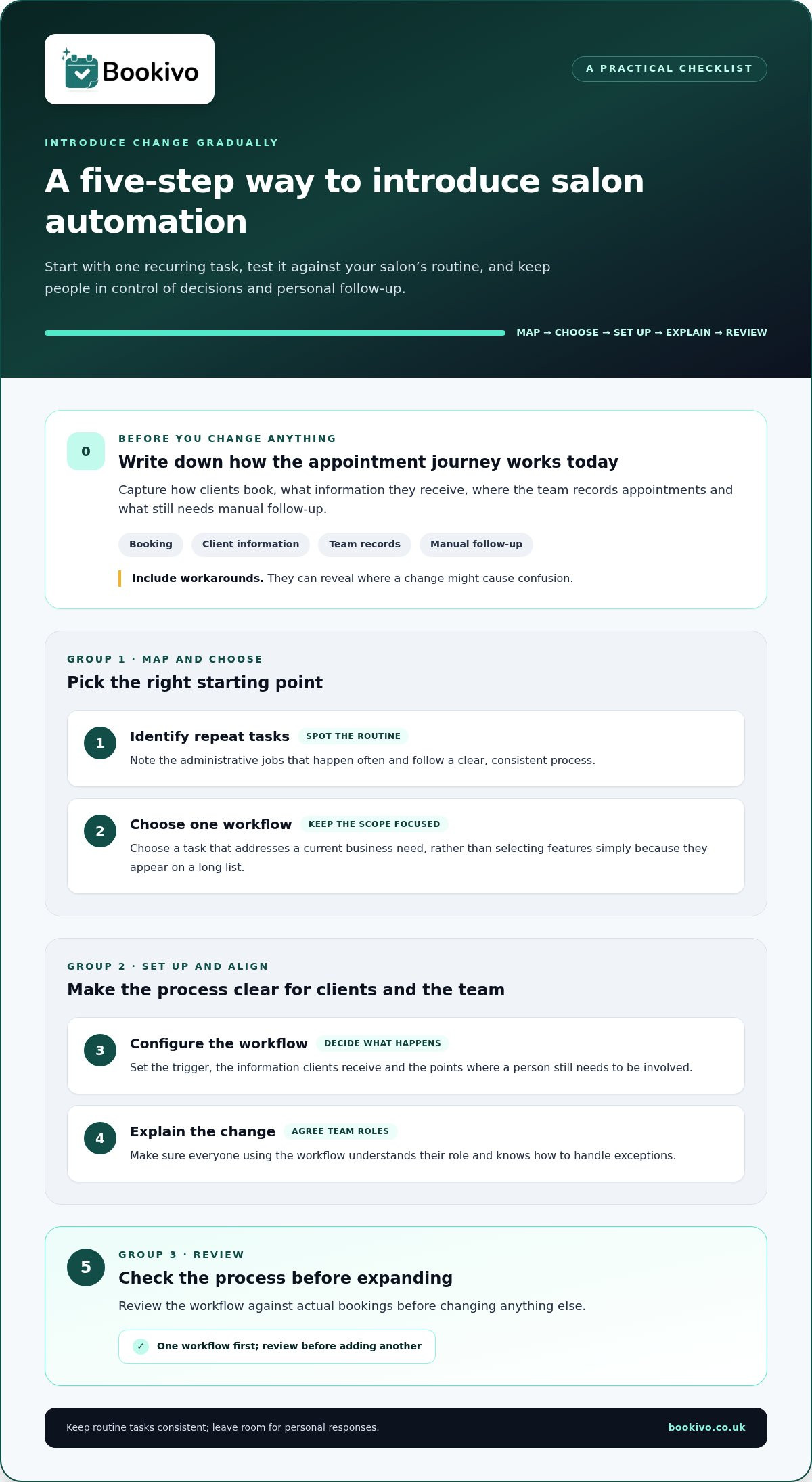
You don’t need to change every process at once. Before choosing new tools, write down the appointment journey as it works today: how clients book, what information they receive, where the team records the appointment and what staff still have to follow up manually. Include any workarounds. They often reveal where a change could cause confusion.
A gradual introduction lets you test one workflow against your real salon routine before changing anything else. Use this sequence:
- Identify repeat tasks. Note admin that happens often and follows a clear, consistent process.
- Choose one workflow. Pick a task that addresses a current business need, rather than selecting features because they appear on a long list.
- Configure it. Decide what triggers the process, what information clients receive and which steps still need a person.
- Explain the change. Make sure everyone using the workflow understands their role and how to handle exceptions.
- Review before expanding. Check the process against actual bookings and team routines, then adjust any unclear steps.
Start with one repeatable process
Choose a frequent, rules-based task that currently depends on someone remembering to follow up. Appointment reminders or collecting routine client information may be suitable examples, depending on how your salon works. Consider where manual effort causes friction for your business. There’s no need to automate a task that already runs smoothly.
Review the fit before changing more
As you test the workflow, check two perspectives: can clients understand what they need to do, and can the team manage the process during a normal working day? Notice where staff need to step in, where information is missing and whether the new steps match the appointment journey you documented. Keep what fits; refine or pause what doesn’t. This review helps you make the next decision based on your own routines, not assumptions about what a salon should need.
How Bookivo supports a more organised salon booking workflow
Once you’ve identified a workflow to improve, the next step is finding tools that fit how your salon operates. Bookivo is a UK online booking and business management platform with a business-owned, branded booking website. Its tools bring key booking tasks together, so you can consider which parts suit your own process.
These include online bookings, appointment deposits and Stripe payments, automated reminders, digital consultation and consent forms, client CRM and team calendars. For example, a client can book through your branded website, while your team can manage appointment information and availability through connected business tools. The aim is to support a more organised routine, not to dictate how you run the salon.
Bookivo uses fixed monthly pricing. You can review the salon software pricing information to understand the available pricing approach without relying on a quoted amount here.
Choose a next step that suits your business
If you’re not ready to change your current process, start by viewing a free branded preview or mock-up. It gives you a way to see how a booking website could look for your business before deciding on a next step. You can also try Bookivo with a 7-day free trial, with no credit-card requirement.
Keep the booking experience connected to your website
If your salon already has a website, consider how online booking can sit alongside the information clients use to choose and contact your business. A clear route from your existing site to booking can help keep the client journey coherent. Your setup should reflect the way clients currently find your services and the way your team manages appointments.
Choose a next step that feels manageable
Choosing salon business automation software doesn’t mean handing over decisions about how your business runs. Treat the next step as a chance to assess what would make your booking process clearer for clients and easier for your team, without committing to change everything at once.
Focus on the details that matter to your salon: how clients move from finding a service to requesting an appointment, what your team needs to see, and where you want to retain a personal response. These priorities can help you judge whether a system fits your working style.
A preview offers a practical way to picture that experience before deciding what to do next. Use it to consider whether the booking journey feels right for your business.
See what Bookivo could look like for your business.
Take the next step at a pace that works for you. A clear decision about what you need is a good place to start.
Frequently Asked Questions
Can salon business automation software work for a solo beauty professional?
Yes. Salon business automation software can suit a solo professional as well as a larger salon. A self-employed lash technician, for example, may want a clear way to present availability and keep client details together, without needing team scheduling. Start by checking that the tools match the way you take bookings and manage your working day, rather than choosing a system around features designed for a larger team.
Will salon automation software replace my receptionist or front-of-house team?
No. Software doesn’t make staffing decisions or take responsibility for running your front desk. A receptionist may coordinate telephone enquiries, walk-ins and changes that need prioritising, while configured software handles the specific admin tasks assigned to it. Consider the full range of front-of-house responsibilities before deciding whether a digital process changes anyone’s workload or simply gives them another tool to use.
Can I add online booking to a beauty website I already have?
Yes. You can give visitors to your existing beauty website a route to online booking, such as a clearly labelled booking link. Place it where someone reading about a service can find it easily, and check that its wording matches the service names clients see during booking. This helps avoid confusion between your website information and the options presented in the booking process.
Do automated appointment reminders guarantee that clients will attend?
No. A reminder can’t guarantee that a client will attend. It’s a communication sent according to the process you’ve set up, and clients may not see it or may need to change their plans. Make sure the message includes clear appointment details, and decide how your salon will respond if a client gets in touch about a change or has a question.
How can a salon introduce automation without confusing clients?
Before making a new booking process public, complete a test booking as if you were a client. Check the wording, the information requested and what appears after the booking is made. Ask a colleague to try it too, if possible. This can reveal unclear labels or unexpected steps before clients encounter them, giving you a chance to tidy up the instructions and explain the process clearly.