Instagram booking link guide for beauty businesses
Learn how to set up a professional booking link for Instagram. Guide salon and clinic clients from your profile to appointment with a clear booking journey.
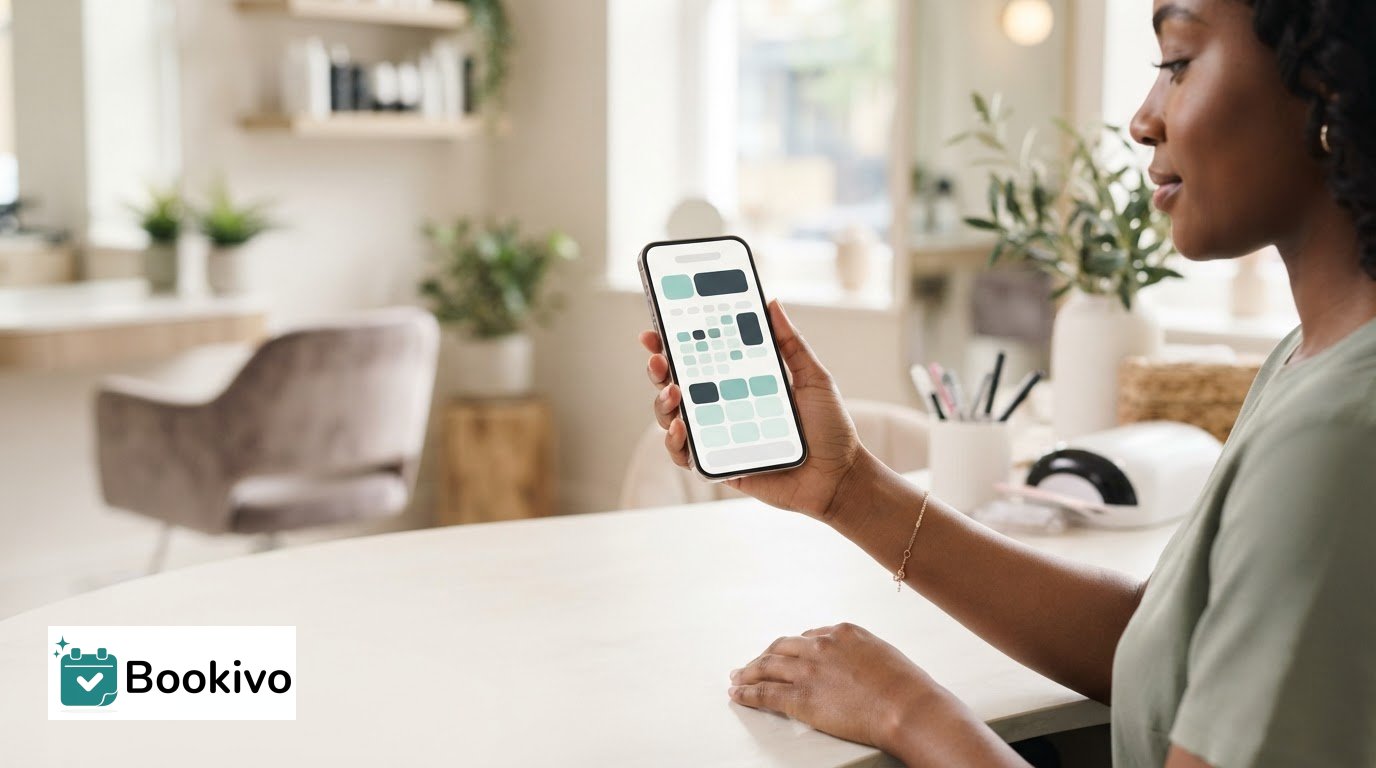
What happens after a potential client taps your Instagram profile: do they see a clear next step, or have to work out which link to choose and what to do next? A professional booking link for instagram should make the route to an appointment easy to understand, not create another reason to pause.
Your profile may introduce your salon, clinic or beauty business, but the link is where a client’s interest meets the practical details. If the destination feels unrelated, or offers several unclear routes, visitors may message you simply to ask how to book. This guide will help you shape a joined-up journey from profile to appointment. You’ll learn what makes a booking destination feel professional, how to help clients navigate service choices, and how to add and test your link from a mobile view. You’ll also see how a branded booking website can support the experience, whether you work independently or manage a team. The goal is a clear, considered online route that reflects your business and makes the next step easy to find.
Key Takeaways
- A professional booking link for instagram should lead to a clear, branded booking destination where clients can understand what to do next.
- Use direct profile wording that tells clients how to book, then guide them through choosing a service and appointment time.
- Prepare your booking page before adding the link, then test that it opens correctly from Instagram on a mobile device.
- A business-owned booking website can bring service choices, availability and online bookings together, with Bookivo also supporting deposits and Stripe payments.
What makes an Instagram booking link look professional?
A professional booking link for Instagram is a clear, branded route from a business profile to an appointment, where clients can understand their options and what to do next. The link itself is only the entry point. The booking website is where clients should be able to explore services and available appointments without needing to message you for basic details.
That distinction matters for salons, clinics, barbers and solo professionals. Instagram introduces your business; the booking destination should carry the experience forward. If the page looks unrelated or leaves clients unsure where to begin, the journey feels disjointed.
What should clients see after tapping your profile link?
Make the business recognisable as soon as the page opens. Consistent business naming and branding help clients see they’ve reached the right place. Then give them an obvious route to booking, rather than making them search through unrelated information.
Use service names clients will recognise. For example, a nail appointment menu should make distinctions such as a new set and an infill clear, rather than relying on internal shorthand. Helpful labels let people compare options and select the appointment that fits—for inspiration on how specialist colour and styling services are clearly defined, learn more about White Ivy Hair Studio.
Why does a business-owned destination matter?
A business-owned booking website presents services under your own business identity. A directory listing, by contrast, places your details within a wider directory alongside other businesses. Neither description alone tells a client which appointment to choose, so clarity on the destination still matters.
Ownership is chiefly a brand-consistency choice: the route from your Instagram profile can lead to a booking experience associated with your business. A branded booking website can provide that destination, with online booking arranged beyond the limits of a social profile. Keep the wording on Instagram accurate and direct, such as “Book an appointment”, so clients know what the link is for before they tap.
How should an Instagram booking link guide beauty clients?
A useful booking journey takes a client from your Instagram profile to a suitable service, an available appointment and a clear confirmation, without leaving them to guess what happens next. Each step should feel connected. The business name and service language on your profile should match what clients see after tapping through.
How can you make the next step obvious?
Use one direct instruction beside your profile link, such as “Book your appointment” or “View services and book”. Make sure the wording reflects the page it opens. If the link leads to a booking page, don’t label it “Contact us” or send clients to a page where booking is difficult to find.
Keep the route simple. If your profile lists several ways to book, clients may be unsure which one to use. Choose one primary booking route and make other profile information support it, rather than compete with it. Instagram guidance from UC Davis also discusses using features such as Stories and link stickers to direct people to relevant content; see its Instagram best practices.
How should service choices be presented?
Once clients reach the booking destination, clear service names help them choose what they need. Use familiar wording and distinguish between options that require a different appointment, such as a consultation and a treatment appointment, where relevant to your business. Keep descriptions concise and ensure they match the language used in your Instagram posts.
For a solo professional, a straightforward service menu can make the journey feel personal without making the client rely on a message to find basic booking information. Bookivo’s booking software for solo beauty professionals is designed for independent beauty businesses.
A professional booking link for Instagram works best when the profile, service choices and appointment steps all point in the same direction. To see how a branded booking destination could fit your business, See what Bookivo could look like for your business.
How to set up and test a professional Instagram booking link
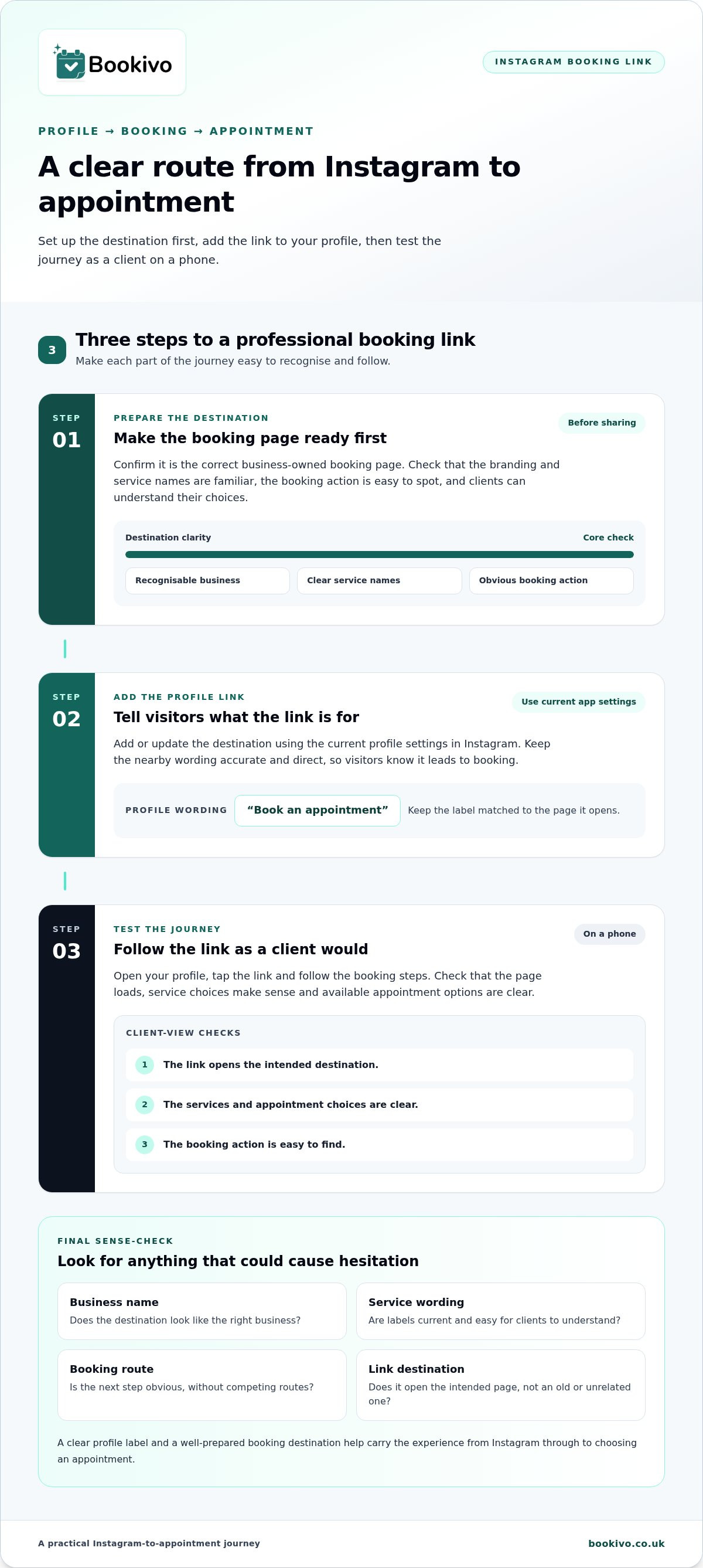
Before sharing a professional booking link for Instagram, check the complete journey as a client would experience it. Set up the destination first, add its link to your profile, then test each step on a mobile device. Instagram’s layout can change, so check the current app before publishing rather than relying on instructions that may no longer match what you see.
- Prepare the destination. Confirm it’s the correct business-owned booking page. Review the branding, service names and booking action. Make sure clients can understand their choices and see the available appointment options.
- Add the profile link. Use the current profile settings in the Instagram app to add or update the destination. Keep the surrounding wording accurate, so visitors know the link leads to booking.
- Test the journey. Open your profile on a phone, tap the link and follow the booking steps. Check that the page loads, the services make sense and the available appointment choices are clear.
What should you check before sharing the link?
Look for mismatches that could cause hesitation: an unfamiliar business name, outdated service wording or a booking action that’s difficult to spot. Check the link itself, too. It should open the intended destination, not an old page or an unrelated section. For ideas on using social platforms to present beauty work, explore this guide to social media marketing for beauty professionals.
How can you improve the experience over time?
Ask a colleague who hasn’t used your booking page to try it as a first-time client. Notice where they pause, misread a service or aren’t sure what to select. Make the wording clearer, then test again. Repeat the check whenever your booking destination or service menu changes, and update the Instagram link if the destination has moved.
Turn your Instagram profile into a clear route to Bookivo bookings
Once your profile wording and link are clear, the booking destination needs to carry that experience through. Bookivo is a UK online booking and business management platform for beauty businesses, with a business-owned branded booking website behind your Instagram link. Clients can use it to view services and make online bookings, rather than relying on a social profile to explain every option.
If you already have a salon website, the booking destination can sit alongside it as a focused place for appointments. Keep the branding and service names consistent across both, so clients recognise your business as they move from Instagram to booking. A separate guide on adding online booking to an existing beauty salon website can help you consider how the booking route fits with your current site.
What can a branded booking destination bring together?
Bookivo supports online bookings, appointment deposits and Stripe payments, including supported Stripe payment methods. It also includes consultation forms and reminders; team calendars may be useful for salons with more than one practitioner. Independent beauty professionals can explore the options for solo beauty businesses when considering how to organise their booking journey.
What is a low-pressure next step?
A free branded preview/mock-up gives you a way to see a possible presentation for your business before deciding whether it suits your needs. If you want to explore the platform directly, Bookivo also offers a seven-day free trial with no credit-card requirement. These are practical ways to assess whether the booking destination fits the experience you want to offer.
See what Bookivo could look like for your business.
Make your next step feel like your business
Choosing a professional booking link for instagram is also a chance to shape how clients experience your business online. The destination should feel like a natural extension of your brand, not a separate step that leaves visitors unsure they’re in the right place. Consider the impression you want to create, then choose a booking experience that supports it.
You don’t need to change everything at once. Begin with the part clients reach from your profile and make it a considered reflection of the service you provide. Small, thoughtful choices can help your online presence feel more joined up and professional.
See what Bookivo could look like for your business.
Build a booking journey that feels clear, considered and true to your business.
Frequently Asked Questions
Can I add a booking link to my Instagram profile?
Yes, you can add an external booking link to your Instagram profile. Instagram supports multiple external bio links, so you can include a booking destination alongside other useful pages if needed. For a professional booking link for Instagram, make the booking option easy to spot and label it clearly, such as “Book an appointment”, rather than relying on visitors to guess which link to tap.
Can clients book directly through an Instagram post?
Usually, a URL written in a standard post caption won’t work as a clickable booking link. Direct clients to the link in your profile instead, or use Instagram Stories with a link sticker to take viewers to your booking page. For example, a post showing a new nail design can invite people to book through your profile, while the booking page lets them choose an appointment. To streamline how you create and schedule regular posts that point followers to your bio link, check out frik.io.
Do I need a website to put a booking link on Instagram?
No, you don’t need a separate business website to add an external booking link to your Instagram profile. You do need an online destination where clients can find booking information and take the next step. That could be a standalone booking website for your business, rather than your main homepage, so visitors land closer to the appointment options they’re looking for.
Can one Instagram booking link cover several beauty services?
Yes. One profile link can lead to a booking destination that presents several services, so clients don’t need a separate Instagram link for every treatment or appointment type. Keep the menu easy to scan: group related services and use names clients will recognise. If options are similar, add a brief distinction so clients can make an informed selection before choosing an available appointment.