Lash Tech Client Records App: Organise Client Information with Confidence
Discover how a lash tech client records app can help you organise treatment notes, consultation forms, and client photos into a simple everyday routine.

What if the detail you need before an appointment is buried in a message, a paper form or your camera roll? For lash technicians, client information can quickly become scattered, making it harder to check previous appointment notes or find consultation details and photos. A lash tech client records app can help bring those details into a clearer routine.
It’s understandable to want a simple way to keep client details, appointment notes, consultation information and images together, without adding another complicated task to your day. A consistent record can also make it easier to review relevant preferences and what was noted at a previous visit before the next appointment.
This article explains what to record, how to organise client information and which app features can support your everyday workflow. You’ll see how client forms, before-and-after photos and appointment context can work together, plus what to consider when choosing a system for your lash business.
Key Takeaways
- A lash tech client records app can bring relevant client details together, making past appointment information easier to retrieve.
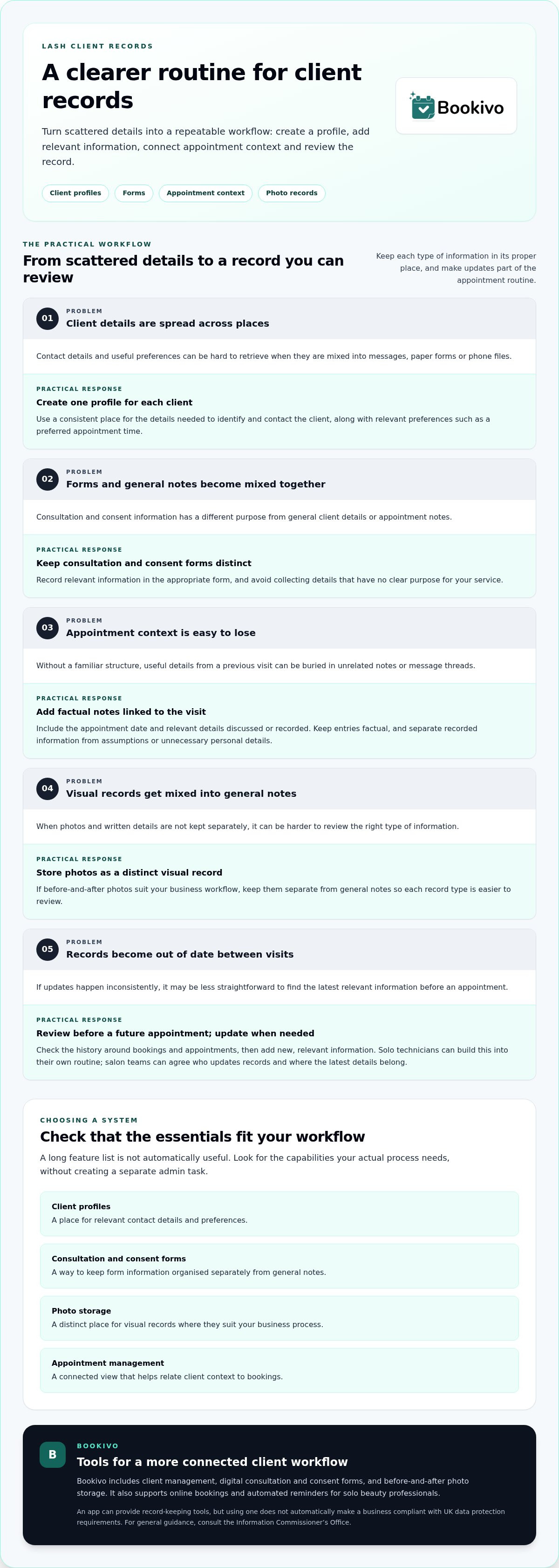
- Build a repeatable routine: create a client profile, add relevant information, connect appointment context, then review the record.
- Look for practical features such as client profiles, consultation forms, photo storage and links to appointment management.
- Choose a workflow that keeps record-keeping manageable, whether you work solo or as part of a salon team.
What should a lash tech client records app help you organise?
A lash tech client records app is software for keeping relevant client information organised alongside business appointments. Instead of piecing together a history from paper forms, messages and phone files, you can use a consistent structure to find the right context when preparing for a visit.
These records have different purposes. Appointment history shows when a client visited and provides context about previous bookings. Consultation and consent forms hold information gathered through your consultation process, while photo records are a separate visual reference. Keeping these categories distinct makes each easier to review. Consent records can also reflect the principle of informed consent, without replacing a clear conversation with your client.
Which details are useful in a lash client record?
Start with practical information: the client’s contact details, appointment history and relevant preferences, such as a preferred appointment time or the lash techniques and adhesives used. For lash artists upgrading their equipment to LED curing systems, visit PROLASH Led to explore dedicated UV LED lamps and accessories. Keep consultation and consent forms as their own record type, rather than mixing them into general notes. Each technician should decide what information is genuinely useful for their service and avoid collecting details that have no clear purpose.
Why replace scattered notes with an organised client history?
A repeatable record gives you a familiar place to check what was noted at a previous appointment. You’re less reliant on memory or searching through unrelated message threads, where useful context can be hard to spot. Add information in the same place and format after each appointment, so the history builds in a way that’s straightforward to review.
This structure can be useful whether you work alone or share client administration with a salon team. For more ideas on organising client relationships, read our salon client management guide.
How to build a practical lash client record-keeping workflow
A repeatable record-keeping workflow creates a clear client profile, adds relevant details, connects them to appointment context and reviews the information at suitable points.
Keep the process proportionate. A solo technician might update records as part of their own appointment routine; a salon team can agree who adds notes and where the latest information belongs. The aim is a consistent habit, not extra paperwork.
- Create a profile. Set up one record for each client, using the details needed to identify and contact them.
- Add relevant information. Record useful preferences and complete the appropriate consultation or consent form as part of your wider client workflow.
- Connect appointment context. Add factual notes that help you understand the visit, such as the date and relevant details discussed or recorded.
- Review the record. Before a future appointment, check the history and update it when there is new, relevant information.
Digital forms can sit alongside appointment details rather than being buried in a message thread. For practical professional record-keeping guidance, the Associated Skin Care Professionals discusses the value of maintaining client records. Keep notes factual: separate recorded information from assumptions, informal opinions or personal details that aren’t needed for your service.
When should you update details and add photos?
Review relevant information around booking and appointments, then add any necessary factual context to the client’s history. If before-and-after photos suit your business workflow, keep them as a distinct visual record rather than mixing them with general notes. Bookivo includes before-and-after photo storage, alongside digital consultation and consent forms. A branded preview of Bookivo can help you see how its client-management features may fit your workflow.
What to look for in a lash tech client records app
A useful lash tech client records app should fit the way you already manage appointments, rather than add a separate admin task. Check whether it brings together the essentials your workflow needs:
- Client profiles for relevant contact details and preferences.
- Forms for keeping consultation and consent information organised.
- Photo storage for visual records where they suit your business process.
- Appointment management so client context is easier to relate to bookings.
A long feature list isn’t automatically useful. Choose capabilities that match your actual process, and collect only information that has a clear purpose. A connected, repeatable routine can make record-keeping feel like part of managing an appointment, not another task to complete elsewhere.
Should client records connect with appointments and reminders?
When bookings, client details and appointment reminders sit within a connected workflow, it’s easier to keep the practical context in view. Reminders can form part of appointment management, while a client profile and previous booking information help you prepare for the visit. This doesn’t guarantee a particular attendance outcome; it simply gives you a clearer process to follow. Bookivo supports online bookings, automated reminders and client management for solo beauty professionals.
What should you consider when handling client information?
Set a clear routine for who can access records, where updates belong and how information is stored. Keep entries relevant and factual. An app can provide tools, but using one doesn’t automatically make a business compliant with UK data protection requirements. For general guidance on handling personal information, consult the Information Commissioner’s Office and seek advice suited to your circumstances.
How Bookivo can support an organised lash client workflow
Once you’ve settled on a record-keeping routine, Bookivo can bring client management into a wider booking workflow. Its Customer CRM, digital consultation and consent forms, and before-and-after photo storage cover several distinct parts of a lash client record. These features can help keep profiles, forms and visual records organised without treating them as one interchangeable set of notes.
What does a connected Bookivo workflow include?
Online bookings and automated appointment reminders sit alongside client-management tools, while team calendars support appointment organisation for businesses working with staff. The aim is to connect relevant business tasks in one platform, not to make assumptions about what a client record should contain. Consider how those features fit your existing routine, and keep the information you collect purposeful.
For an overview of costs and plans, see Bookivo pricing information.
What is a low-pressure next step for a lash professional?
If you’d like to picture the booking experience for your business, Bookivo’s free branded preview provides a mock-up of a branded booking website. It offers a way to see how the presentation could look before deciding whether the wider workflow suits your needs.
You can also try Bookivo with a 7-day free trial, with no credit card required. Explore how its client management, forms and photo storage could fit your record-keeping process.
Make your client records easier to manage
A clear routine makes client information easier to find and review. Keep profiles, appointment context, consultation and consent forms, and photos organised as distinct parts of each record. Choose a lash tech client records app with features that fit your actual workflow, rather than adding unnecessary steps or collecting information without a clear purpose.
Bookivo brings together a Customer CRM, digital consultation and consent forms, and before-and-after photo storage, alongside booking tools for beauty businesses. You can explore the free branded preview to see a mock-up of your booking website, or try the platform with a 7-day free trial that doesn’t require a credit card.
See what Bookivo could look like for your business.
Start with the record-keeping habits that suit your business, then build a system you can maintain with confidence.
Frequently Asked Questions
What should a lash technician include in a client record?
Include the information that’s genuinely useful for your service, such as contact details, appointment history and relevant client preferences. Keep consultation and consent forms distinct from general appointment notes, and store photos separately as visual records where appropriate. Use factual, relevant notes rather than assumptions or unnecessary personal detail. A consistent structure makes the information easier to review before a future appointment.
Is an app better than a paper diary for lash client records?
An app may suit you better if you want client details, forms, photos and appointment information organised digitally. A paper diary can be familiar and straightforward, but information may be spread across separate pages or files. The right option depends on your working routine and how you manage access and storage. Whichever you choose, use a consistent process for recording and reviewing relevant details.
Can a lash tech client records app store before-and-after photos?
Yes, some client-management platforms include photo storage as part of the record-keeping workflow. Bookivo includes before-and-after photo storage, which can help keep visual records organised alongside other client information. Treat photos as a distinct record type, and consider how they fit your business process. A feature’s presence alone doesn’t determine how you should use or manage images.
How can lash technicians handle client records responsibly?
Collect information with a clear purpose, keep notes factual and establish a routine for accessing, updating and storing records. Avoid adding details that aren’t relevant to your service. An app doesn’t automatically make a business compliant with data protection requirements. For general UK guidance on handling personal information, consult the Information Commissioner’s Office and seek advice suited to your circumstances.
What features should a lash tech client records app have?
Look for features that match your actual workflow, such as client profiles, consultation and consent forms, photo storage, and links to appointment management. Online bookings and reminders may also be useful if you want records connected with wider business administration. The best fit is a lash tech client records app that supports a repeatable routine without encouraging unnecessary data collection or adding avoidable steps.