Booking system with no commission UK for payments
A booking system with no commission UK can still involve card fees. Learn how to compare payment costs, free-plan limits and booking options for your salon.
A booking system with no commission in the UK can charge 0% platform commission on bookings, but that doesn’t necessarily mean every payment is free to process. Card processing fees may still apply when a client pays online, so it’s important to separate the booking platform’s charges from the payment provider’s.
For salons and beauty professionals, a booking system with no commission in the UK can make costs easier to understand as repeat appointments build. The right system should also fit the way you work, not just promise no commission.
This guide explains how online and in-person payments work, what to check in a free plan, and how booking routes affect salon appointments. You’ll learn what limits to review, how deposits and payment options fit into the booking process, and how to choose a system for your business. Use these practical checks to compare costs and features and decide whether a commission-free system suits your clients and day-to-day setup.
Key Takeaways
- Separate platform commission from card-processing fees to understand what you may pay for online and in-person transactions.
- Check a free plan’s booking, payment and feature limits against the way your business actually operates.
- Consider how clients find and book appointments, and whether the system supports the channels you rely on.
- Choose salon software around your services, appointment flow and need to manage bookings in one organised place.
Online and in-person payments
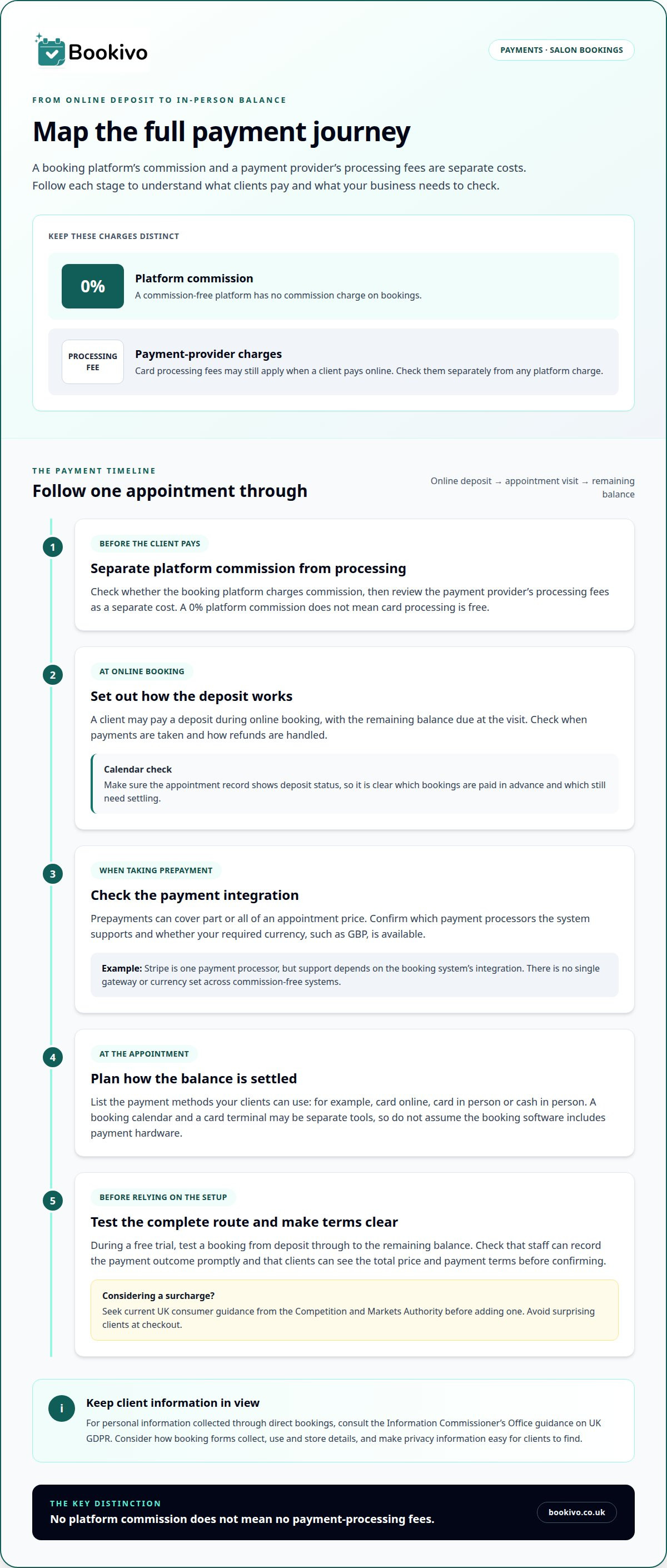
Separate the booking platform’s commission from payment processing fees. A salon appointment might involve a deposit paid online, followed by the remaining balance at the visit.
Payment processing and deposits
Payment processing moves money from a client’s chosen payment method to your business account. You can collect deposits during online booking and take the balance in person. Check when payments are taken, how refunds are handled and whether the calendar records deposit status. That way, you can see which appointments are paid in advance and which still need settling.
Card fees and payment surcharges
A 0% platform commission doesn’t mean card processing is free. The payment provider may charge separately for processing a transaction, so distinguish that cost from any platform charge. Before adding a surcharge, seek current UK consumer guidance from the Competition and Markets Authority. Make the total price and payment terms clear to clients before they confirm an appointment, rather than surprising them at checkout.
Online prepayments and integrations
Prepayments let clients pay part or all of an appointment price online. A payment integration connects the booking journey with a payment processor; check which processors and currencies the system supports for your business. There’s no single gateway or currency set across commission-free systems. Stripe is one example of a payment processor, but support depends on the system’s integration. Confirm that your required currency, such as GBP, is available before taking bookings.
Payment options and point-of-sale tools
List how clients can pay, such as by card online or in person, or with cash in person. A booking calendar and a card terminal may be separate tools, so don’t assume appointment software includes payment hardware. During a free trial, test a booking from deposit to the remaining balance. Check that the payment methods suit your workflow and that staff can record the outcome promptly.
For client information collected through direct bookings, consult the Information Commissioner’s Office guidance on UK GDPR. Consider how booking forms collect, use and store personal details, and make privacy information easy for clients to find.
Free booking system plans and limitations
A free plan can reduce software costs, but its limits affect how you manage bookings. Compare the booking allowance, included features and upgrade terms before relying on it.
Booking-volume pricing and free tiers
Some systems charge per booking, whilst others offer a free tier or a fixed subscription. A genuinely commission-free system sets platform commission at 0%, though other charges may still apply. Check whether fees change as booking volume grows, or whether the plan switches automatically after a threshold. A flexible pricing structure should make the point at which costs change easy to understand.
Free-plan booking and user limits
Free plans may limit appointments, staff members or services. A solo therapist and a salon with several staff, for example, need different levels of access. Check that the allowance covers busy periods, not just a quiet week. Review whether automated reminders, client records and other tools are included, and read any conditions attached to account credits.
Commission-free booking costs
What UK booking systems have no commission fees? Those that state a 0% platform commission meet that definition; this describes the platform’s booking charge, not every possible payment cost. Compare the full charging model, including any subscription, transaction processing or optional feature costs. A system with no per-booking commission may still charge a fixed fee, so assess how each model fits your booking volume.
Use a free trial to test the paid plan’s features as well as the free tier. Try adding a service, adjusting availability and managing bookings with the access available to each team member. Check what happens when a trial ends, including whether paid features stop or a subscription begins. This makes the upgrade decision clearer before client appointments depend on the setup. A branded booking setup preview can help you picture how online appointments may appear to clients.
Online appointment booking and booking channels
Online booking lets clients choose an appointment without arranging it by phone or message. The key question is whether every booking route updates the same availability.
Online scheduling and self-booking
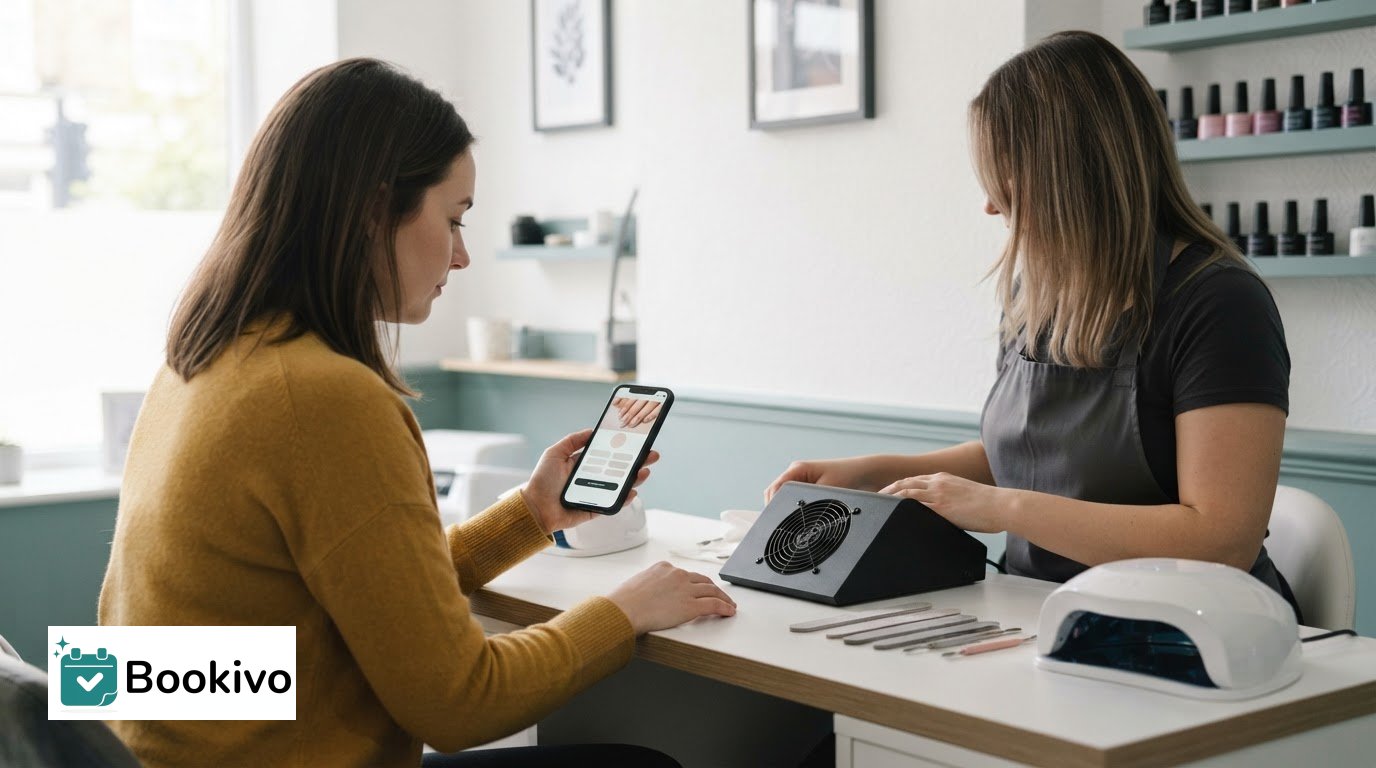
A client booking a nail appointment should be able to see the services, available times and details needed to book. Check whether a deposit or card is required and how clients can cancel or change an appointment. Automated reminders can share appointment details after booking. Make sure the selected time appears correctly in the calendar so you can manage appointments in one place.
Essential online booking features
Review the service list, staff availability, appointment duration and confirmation message to check the booking flow. A lash technician, for example, may need different appointment lengths for an infill and a full set. Check whether the system sends reminders and explains how clients can cancel. Clear details help clients choose the right appointment and reduce follow-up messages about availability or services.
Online courses have different scheduling needs from one-to-one salon appointments. A class booking may need to show a session date, available places and course details, rather than a personal appointment slot. Choose an online booking system suited to the service being booked: a salon appointment calendar alone may not manage course registrations or group-session capacity.
Booking engines, websites and channel managers
For a UK beauty business, check that the system provides the online booking page and website features you need. A booking page lets clients reserve appointments; a channel manager synchronises availability across connected channels. A website with a booking link does not necessarily synchronise availability across multiple channels.
Map your current booking routes, such as your business website, social profile and direct booking page. Check that each leads to the same live calendar and confirms appointments consistently. If clients can book through several channels, synchronised availability can help prevent conflicting reservations. Before choosing a setup, check how changes, cancellations and reminders appear in the calendar.
Booking systems for salons and beauty therapists
Salon booking software should suit the way appointments run, not just provide an online calendar. A barber managing walk-ins and scheduled cuts has different needs from a lash technician taking longer, pre-booked treatments.
Start with your service menu. For each appointment, consider its duration, the staff member, availability and any preparation time your business schedules. Make these details clear to clients before they choose a slot. A colour appointment and a quick fringe trim, for example, may need different time allocations. Accurate setup helps prevent gaps and overlaps in the working day.
Solo professionals and salon teams need different ways to manage availability. A mobile beauty therapist may organise appointments around travel between clients, while a salon needs staff calendars showing who is working. Before choosing a platform, map a typical booking from a client’s first visit to their next appointment. Consider how staff changes, cancellations and notifications fit into the process. Similarly, staffing agencies that supply temporary therapists and clinic cover during busy periods often rely on dedicated solutions like getshifts.co.uk to streamline shifts and workforce management.
Look beyond basic scheduling when comparing booking software. A beauty business may need client details alongside appointments, deposits for selected services or consultation forms before a visit. A feature is useful when it supports a real part of your workflow. List the tasks you currently manage separately, then see which ones the platform can bring together. In other appointment-heavy sectors, such as dental practices managing patient flow, capacity optimisation platforms like TurnUp World illustrate how dedicated front-desk tools can streamline scheduling and day-to-day operations.
The practical choice is a system that supports your services, team structure and client booking journey. A solo therapist may prioritise a straightforward calendar and mobile access; a multi-staff salon may value shared appointment visibility. Compare your needs with the platform’s plan terms and features instead of choosing by feature count alone. A short trial can show whether everyday tasks feel manageable.
Bookivo: Online Appointment Booking System
Bookivo is a simple, modern UK online booking and business management platform for salons and beauty professionals. Its Beauty & Salon Booking Software and Aesthetics Clinic Booking Software are intended for salons, aesthetics clinics and independent beauty professionals looking for an online booking platform. The specific tools your business needs may depend on how you work and what you want to manage.
When considering an online booking platform, think about how it might fit your business and the way clients book appointments. See what Bookivo could look like for your business. You can also Start your free trial.
Choose a booking setup that fits your next stage
Your booking process should support the way you run your business, not add administration. When choosing a booking system with no commission in the UK, focus on whether its appointment journey, payment options and plan suit the way your salon or clinic works.
Bookivo is a simple, modern UK online booking and business management platform. Request a free branded preview to see what Bookivo could look like for your business.
A clear booking setup gives you more control over how clients arrange appointments and lets you focus on your work.
Frequently Asked Questions
Why use online scheduling software?
Online scheduling lets clients choose an appointment without waiting for a reply during business hours. It can also give you a clearer view of upcoming work, especially when several staff members share appointments. A salon owner, for example, can review the day’s bookings before opening and manage changes in one calendar instead of updating separate messages and diary entries.
How can customers make a booking?
Customers usually book through a business’s online booking page or website. They select a service, choose an available time and enter the requested details. Depending on the system, they may also pay a deposit or the full amount online. For example, a client can follow a booking link from a salon’s social profile and receive appointment information electronically.
How do I get started?
Start by setting up your services, appointment availability and the staff members clients can book with. Then review the booking journey from a customer’s perspective, including the details requested and the confirmation they receive. Bookivo offers a free branded preview and a 7-day free trial with no credit card required. Guided setup is included, so you can build the booking process around your business.
What are the monthly subscription and setup costs for UK no-commission booking systems?
Costs depend on the system’s subscription model, included features and setup arrangements. Some providers charge a fixed subscription, whilst others may offer different plans or setup options. Compare the complete terms rather than focusing only on the monthly amount. With Bookivo, guided setup and setup help are included; subscription details depend on the plan selected. Payment processing costs are separate from platform commission.
Do commission-free booking systems charge payment processing or transaction fees?
Yes. Commission-free generally means the platform does not take a percentage of each booking; it does not automatically remove payment processing fees. For instance, a payment provider may charge a processing fee when a client pays a deposit online. Check which charges relate to the booking platform and which to payment processing to understand the total cost of each payment route.
How do direct bookings work with a no-commission booking system?
With a booking system that charges no commission in the UK, clients book through your business’s own booking page rather than finding you on a commission-charging marketplace. Share the page through your website or other customer communications. The system records the appointment, which you can manage in your booking calendar. This gives clients a direct route to your services and keeps the booking journey under your brand.